- DATE:
- AUTHOR:
- Toast product communications
Links

View and manage scheduled third-party delivery orders in the All To-Go view in Payment Terminal
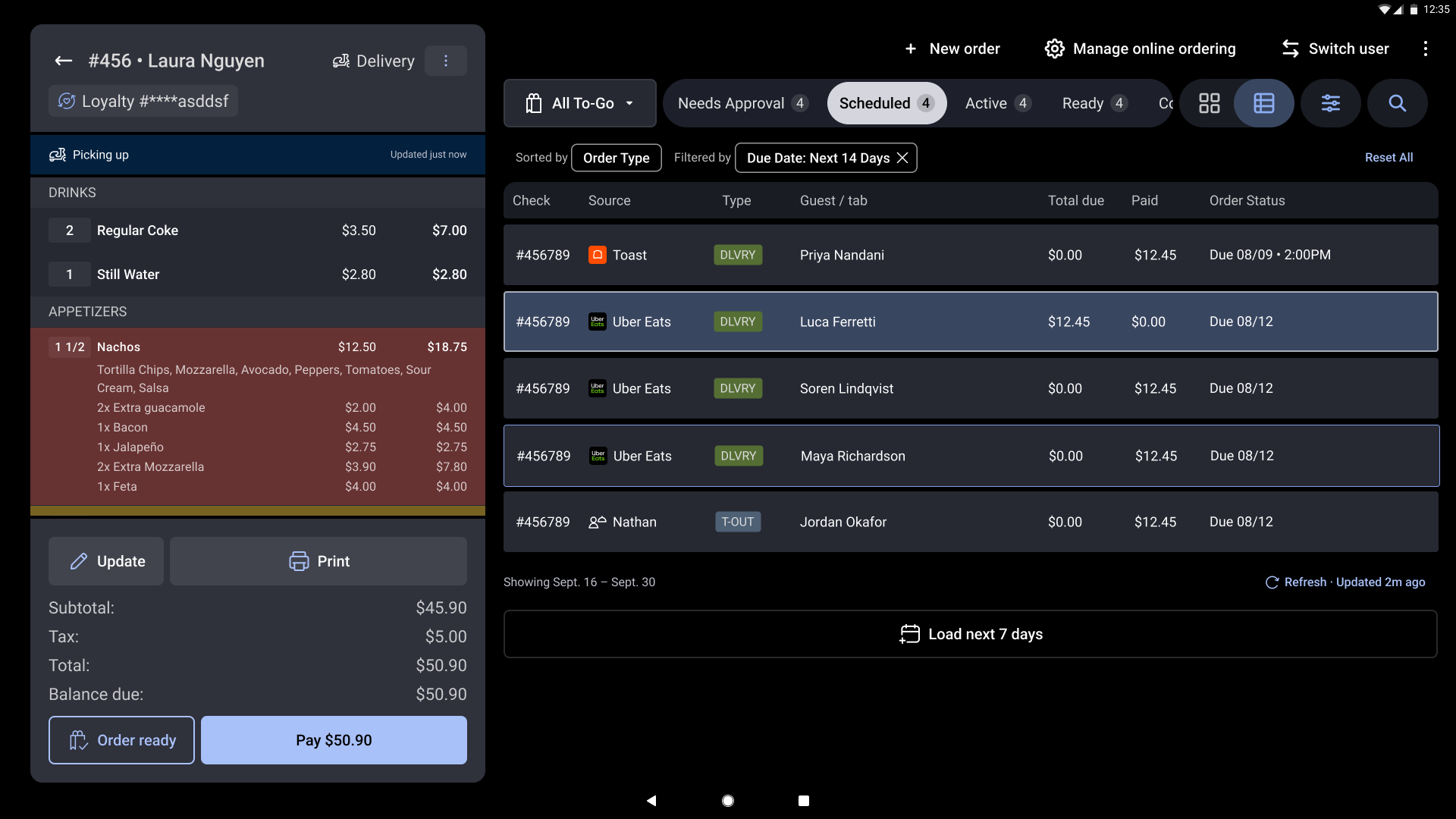
If you signed up for All To-Go through Toast Test Kitchen, you can now manage scheduled orders from third-party delivery services in the All To-Go view in the Payment Terminal. Previously, these orders often arrived as immediate ASAP orders shortly before their due time, giving your kitchen little time to prepare. Scheduled orders now appear in the All To-Go view as soon as they are confirmed, so you can plan for large orders in advance. Use the Scheduled tab to see upcoming orders in one place.
For more information about managing orders from third-party delivery services, see Managing orders from third-party online ordering channels.
How to verify
To verify this update, place a scheduled order through a third-party delivery service. On the Toast POS app, open Payment Terminal, select the All To-Go view, and then select the Scheduled tab. The order appears with its due time and channel.
Availability
First available in Toast POS version 2.119.
In limited release with the Toast test kitchen. To gain early access to this and other features, sign up for Test Kitchen.
Affected countries
All
Links