- DATE:
- AUTHOR:
- Toast product communications
Links

Setting up and managing printers is now easier
Setting up and managing printers on your Toast POS is now easier. This update streamlines the printing workflow in the following ways:
Adding printers
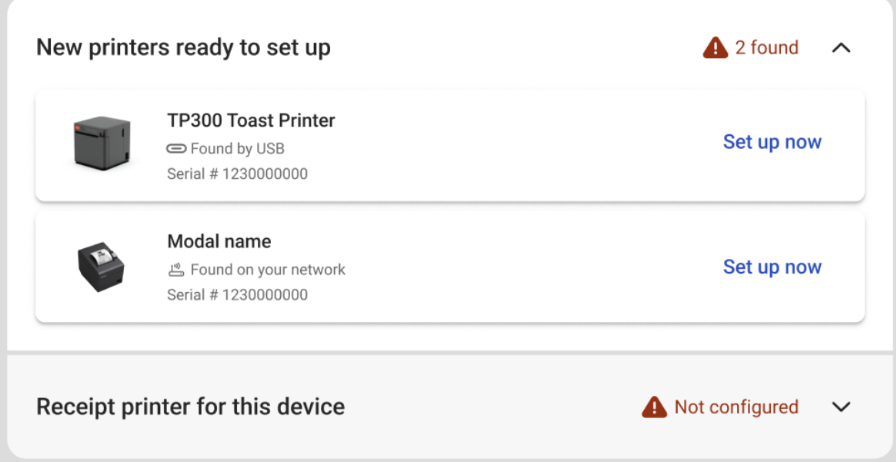
Printer setup automatically scans and displays new printers.
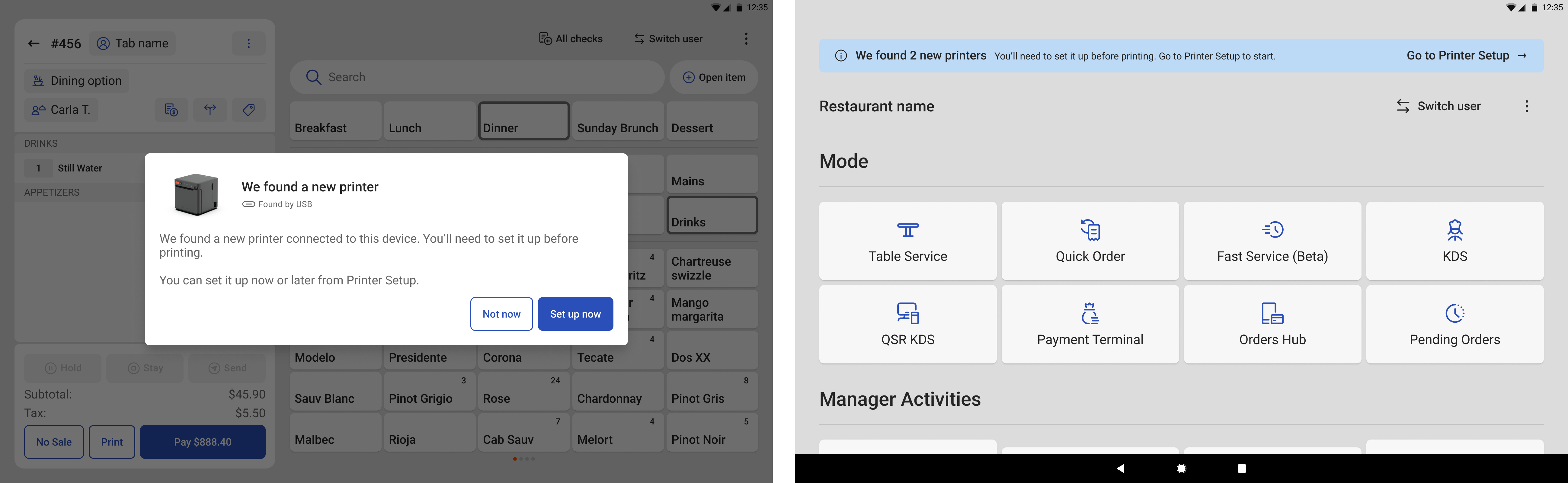
A blue informational bar shows when new printers are found and helps user navigate to printer setup for configuring devices.
Smart print errors on the Toast POS app alert employees when print error occurs and when new printers are available to configure.
Printer configuration visibility
Printers in printer setup now display the various jobs they are responsible for including:
Takeout/delivery printing
Expo printing
Prep station printing
For more information, see Accessing the printer setup.
Availability
First available in Toast POS version 2.112.
Countries affected
All
Links