- DATE:
- AUTHOR:
- Toast product communications
Links

Generally Available, Canada, Ireland, United States, United Kingdom, POS v2.117
Toast Retail
Show or hide the on-screen keypad in Retail Mode
DATE:
AUTHOR:
Toast product communications
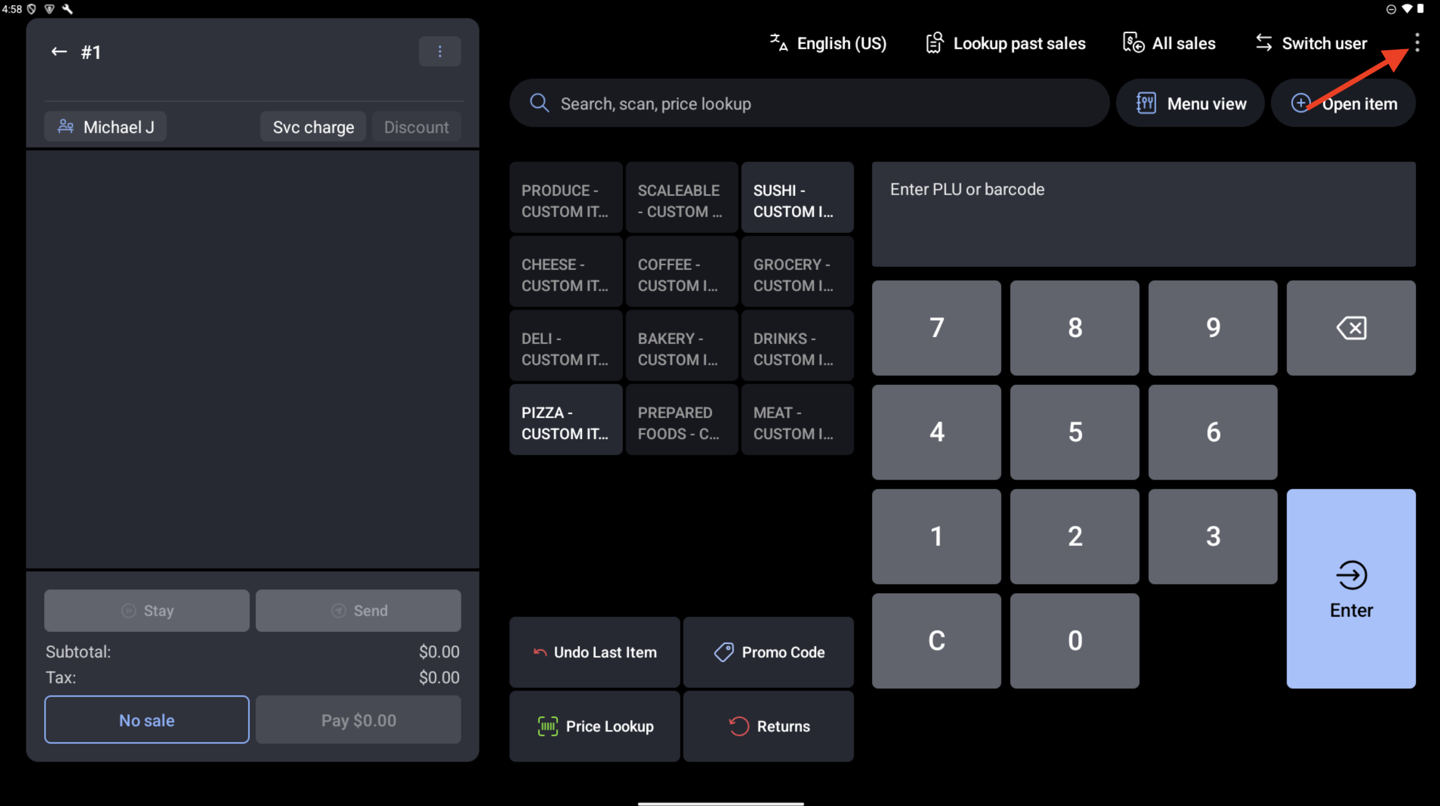
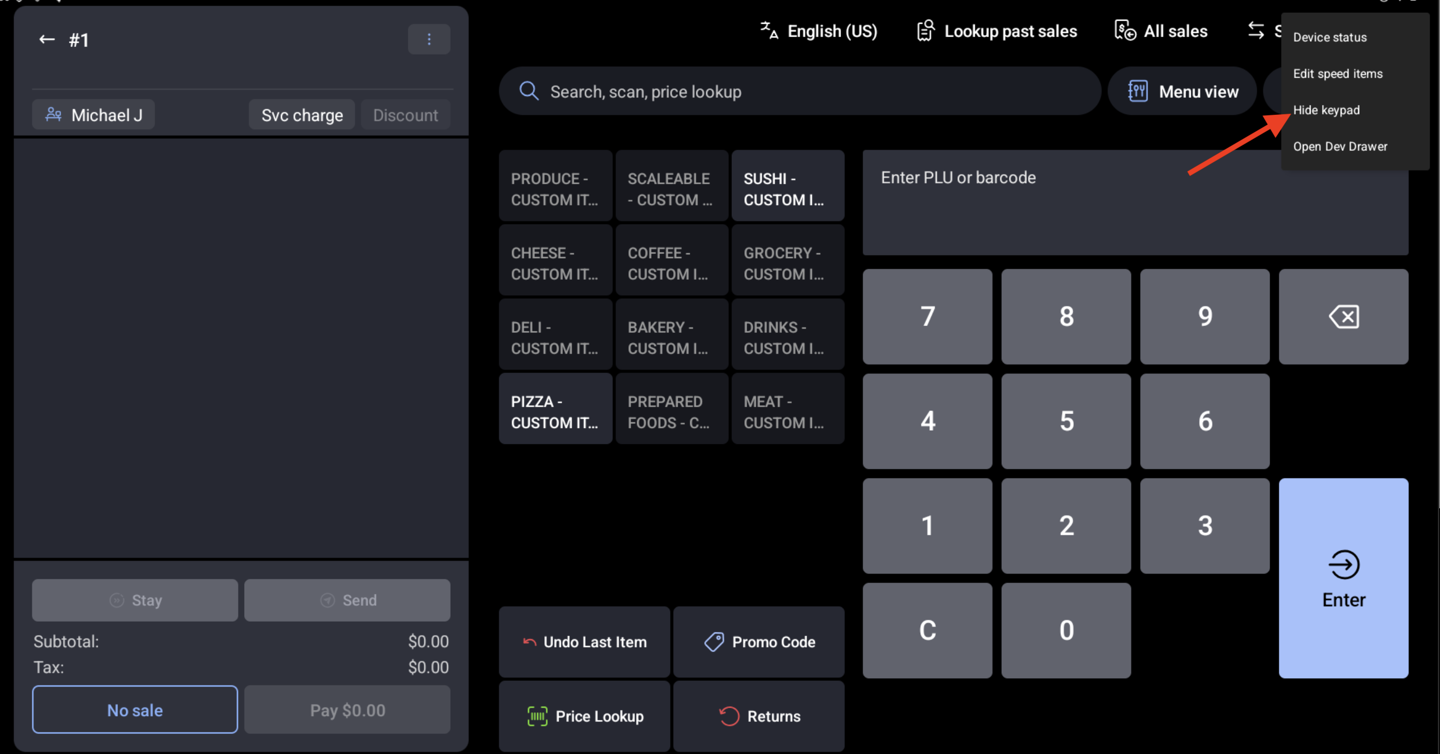
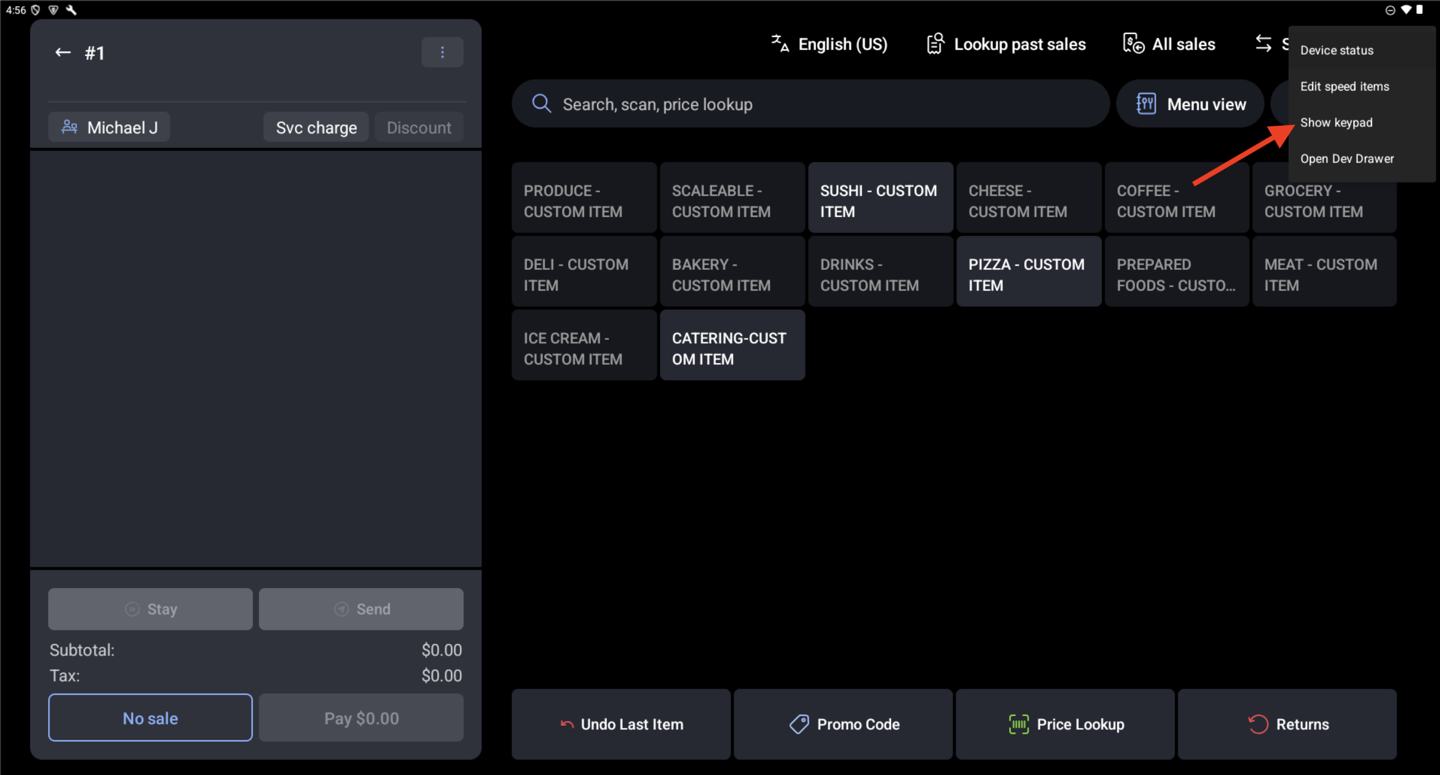
You can now show or hide the on-screen price look-up (PLU) keypad in Retail Mode. Open the overflow menu and select Hide Keypad or Show Keypad. Hiding the keypad widens the speed menu to the full screen, so you can see more items and actions without scrolling. Terminals with a physical keypad already use this layout. Each terminal remembers your choice, even after you leave and return to Retail Mode.
For more information, see Get Started With Retail POS Mode.
Availability
First available in Toast POS version 2.117.
Countries affected
United States, Canada, United Kingdom, Ireland
Links