- DATE:
- AUTHOR:
- Toast product communications
Links

KDS ticket headers show all order items regardless of employee name length
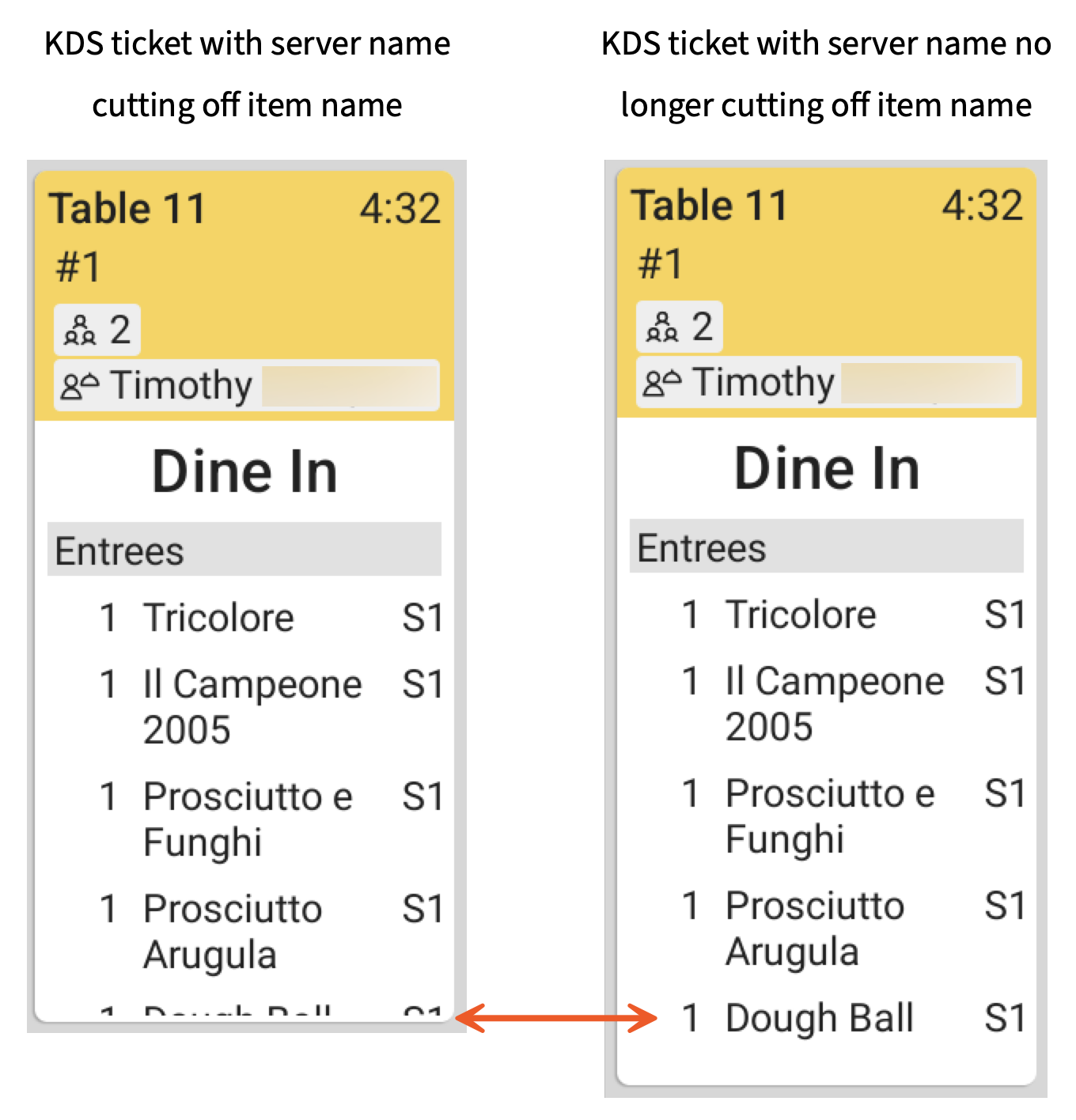
Previously, a long employee name on the new kitchen display system (KDS) view wrapped the ticket header onto a second line, which pushed order items out of view at the prep station. Ticket headers now keep every order item visible, whatever the length of the employee name.
For more information about new KDS view, see New KDS view.
How to verify
Test at a location in Test Mode.
Add or find an employee whose name is 17 characters or more.
On your KDS device, select the overflow menu (the ⋮ icon), and then select KDS appearance. The KDS appearance pane opens.
Under Ticket layout, select Dynamic.
Under Columns, select 7, 8, or 9.
Select Save.
Sign in to a Toast POS device as the employee from step 1.
Create an order as that employee and send it to the kitchen.
On the KDS device, note that the last item is not obscured.
Availability:
First available in Toast POS version 2.116.
Countries affected
All
Links