- DATE:
- AUTHOR:
- Toast product communications
Links

Cancel Toast Delivery Services deliveries from the Payment Terminal
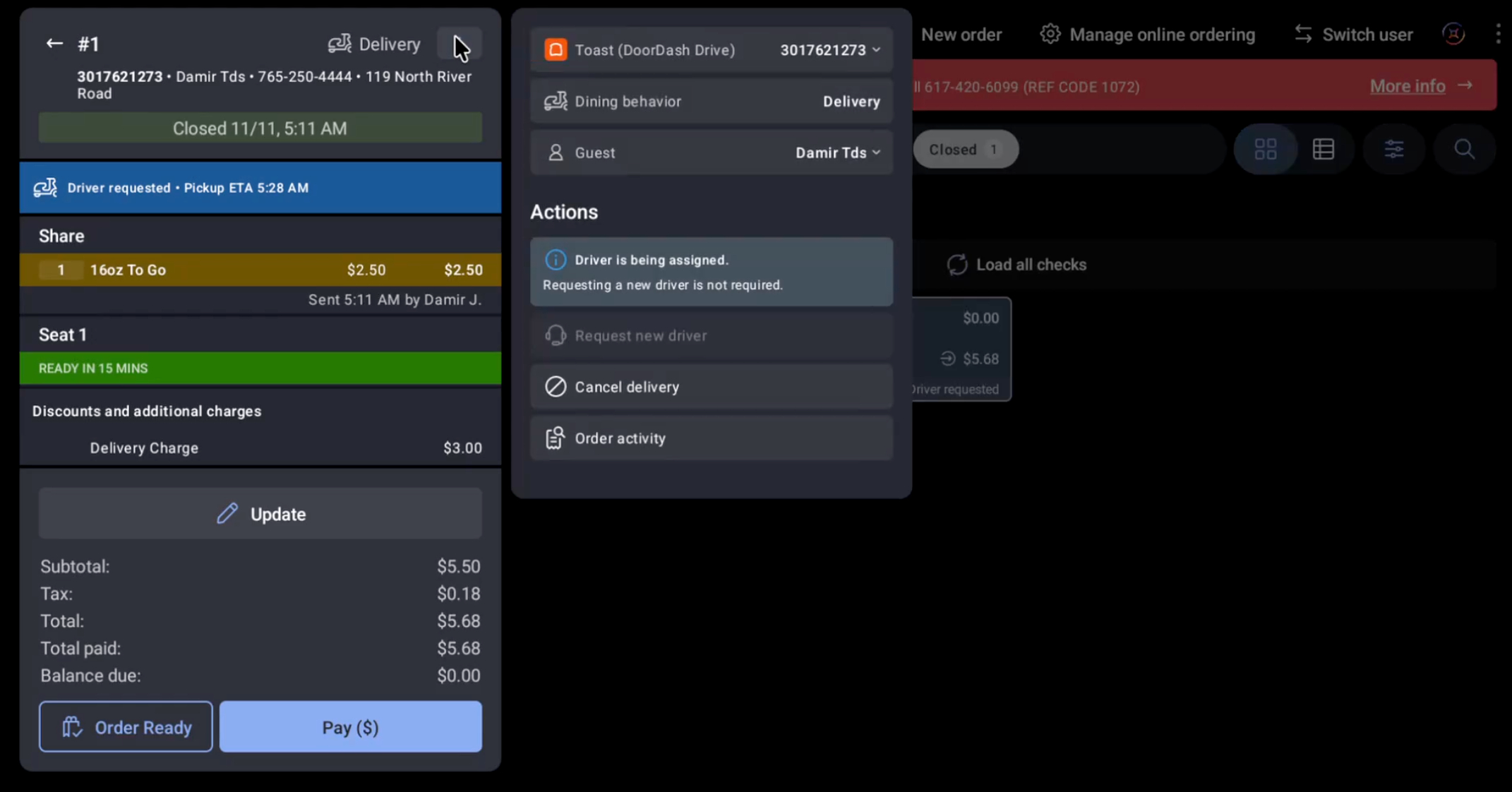
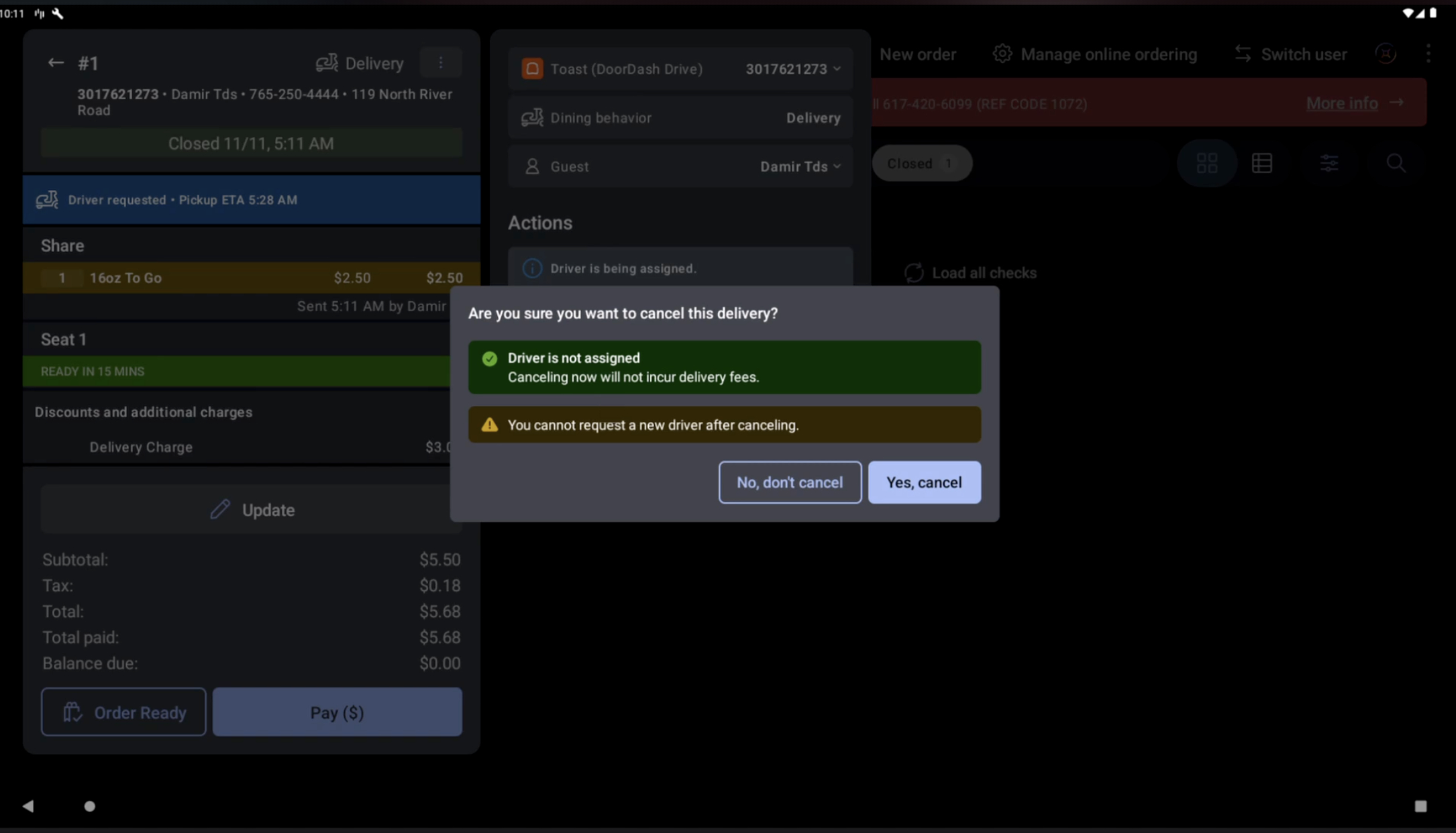
You can now cancel a Toast Delivery Services (TDS) delivery directly from the Payment Terminal screen in the Toast POS app, without contacting DoorDash Drive or Uber Direct. In the order's overflow menu, select Cancel delivery. A confirmation dialog shows what happens, based on the delivery provider and the driver's current status:
No driver assigned yet: The delivery is canceled with no delivery fees. You can't request a new driver for that order after you cancel.
Driver assigned, not yet picked up: Delivery fees may apply or be forfeited, depending on the provider. DoorDash typically doesn't allow cancellation once a driver is assigned. If DoorDash declines the cancellation, contact DoorDash Drive support.
Driver has picked up the order: Delivery fees may be forfeited.
When a driver is assigned or has picked up the order, employees must select I understand before they cancel. If the driver's status changes while the dialog is open, the dialog refreshes and employees confirm again.
After you cancel, the order shows Delivery canceled, the guest receives a text message (SMS), and the guest's order tracker updates. No setup is required.
For more information about Toast Delivery Services, see Toast Delivery Services Overview.
How to verify
On the Payment Terminal, open a TDS delivery order. In the order's overflow menu, select Cancel delivery. A confirmation dialog shows the cancellation details for the driver's current status.
Availability
First available in Toast POS version 2.121.
Rolling out to Toast locations starting November 11, 2026.
Countries affected
United States, Canada
Links