- DATE:
- AUTHOR:
- Toast product communications
Links

Ticket headers on new KDS view follow the KDS Ticket Headers setting
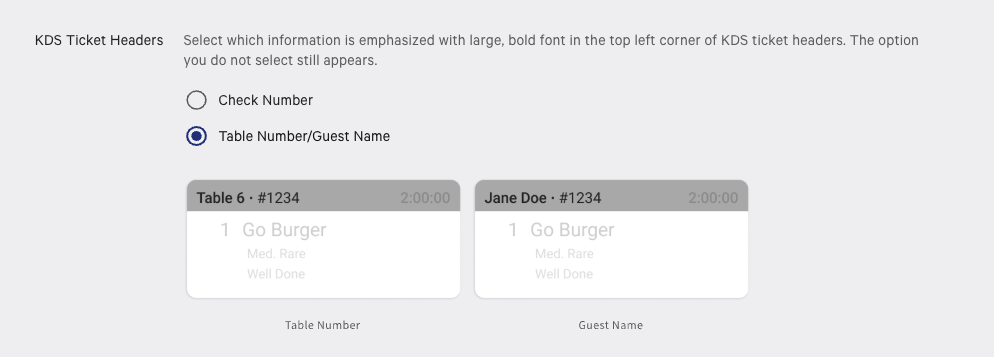
Previously, on kitchen display system (KDS) devices using new KDS view, tickets without a table always showed the check number before the guest name, regardless of the KDS Ticket Headers setting. These tickets now follow the order chosen in that setting.
For more information, see Customize the Appearance of KDS Tickets.
How to verify
In Toast Web, go to Kitchen > Printers, tickets, & KDS devices > Kitchen and ticket setup, change the KDS Ticket Headers setting to Table Number/Guest Name, and then save and publish. Send a quick order with a guest name and no table, such as a takeout order. On new KDS view, the ticket header shows the guest name and check number in the order set by KDS Ticket Headers.
Availability
First available in Toast POS version 2.121.
Affected countries
All
Links