- DATE:
- AUTHOR:
- Toast product communications
Links

Archive inactive devices in Device Hub
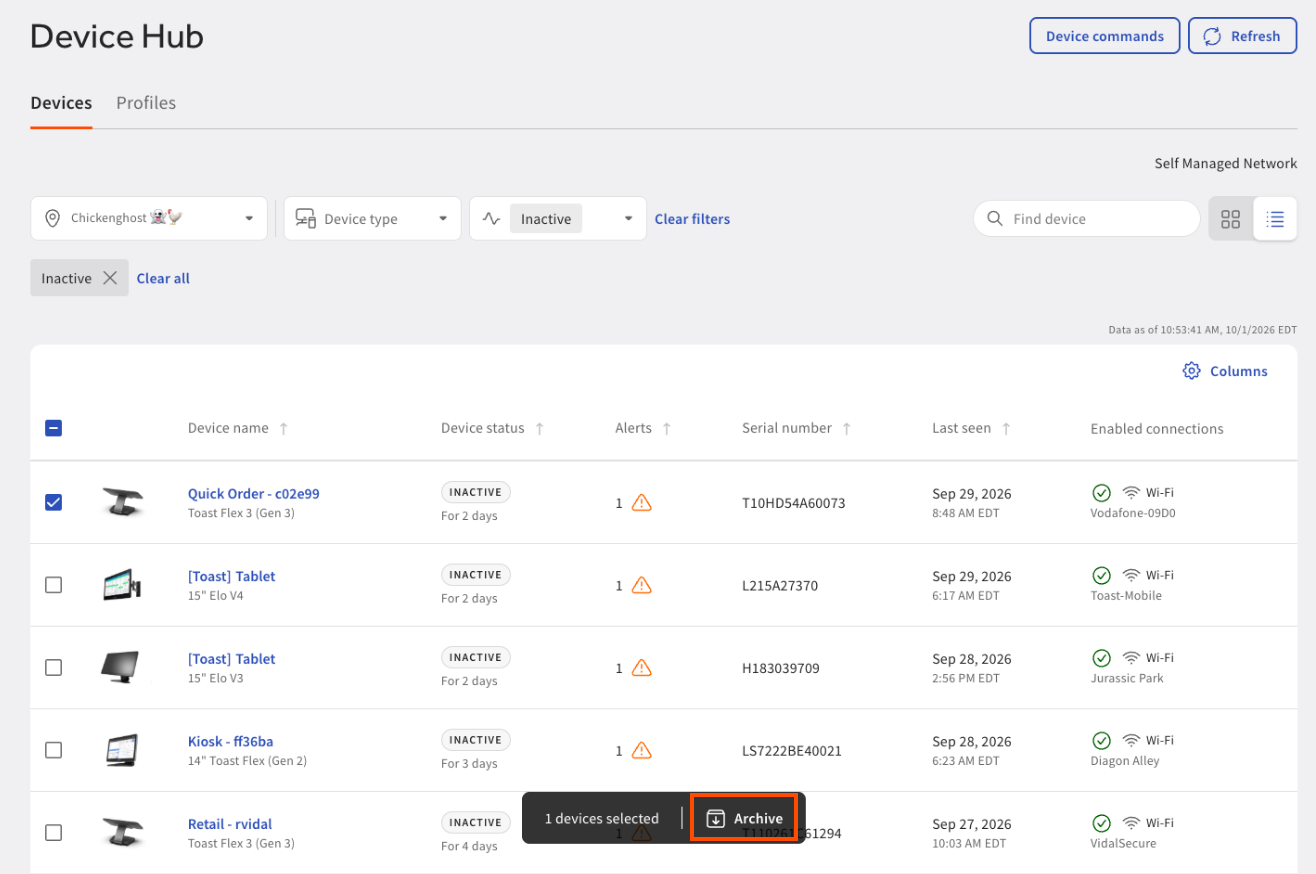
You can now archive devices on the Device Hub page in Toast Web to remove retired or unused hardware from your default device list. Archiving hides a device from the main Devices view without deleting any of its data. To see archived devices, set the Device status filter to Archived.
You can only archive devices that have a status of Inactive. A device is inactive when the device has been offline for more than two days. An archived device automatically returns to the devices list when it is back online.
For more information about Device Hub, see Device Hub overview.

How to verify
To verify this update, open Device Hub in Toast Web, select a device with a status of Inactive, and select Archive. You are then presented with a confirmation dialog. The device no longer appears in the default device list. To find it again, set the Device status filter to Archived.
Availability
This change is rolling out to all Toast locations starting October 6, 2026.
Affected countries
All
Links