- DATE:
- AUTHOR:
- Toast product communications
Links

The guest-facing display no longer offers early loyalty check-in for paid or closed checks
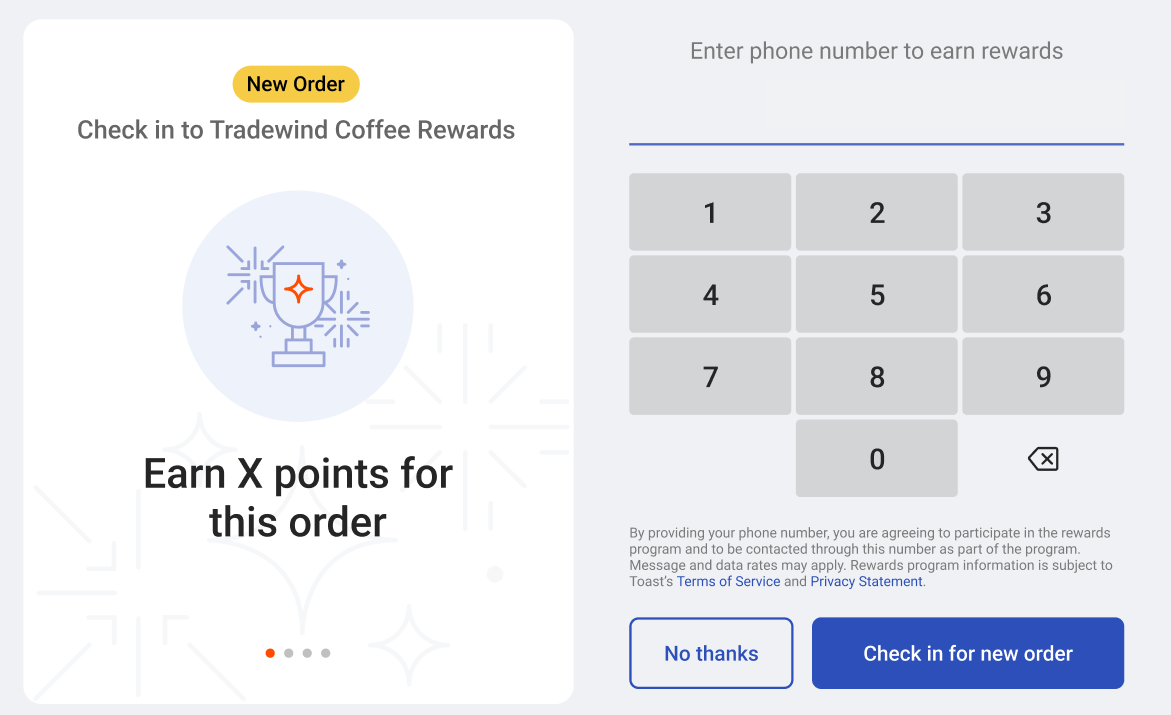
Previously, the early loyalty check-in prompt could stay on the guest-facing display (GFD) after a check was paid or closed, so guests could try to check in to a check that was already complete. Now, the prompt closes on the GFD when the check is paid.
For more information, see Guest-facing display loyalty sign-up and check-in.
How to verify
To verify this fix, select a check in the Toast POS app. The early loyalty check-in prompt appears on the connected GFD. Pay and close the check. The prompt closes on the GFD and does not appear again if you select the check again.
Availability
First available in Toast POS version 2.119.
Affected countries
USA, CAN, UK, IE
Previously, the early loyalty check-in prompt could stay on the guest-facing display (GFD) after a check was paid or closed, so guests could try to check in to a check that was already complete. Now, the prompt closes on the GFD when the check is paid.
For more information, see Guest-facing display loyalty sign-up and check-in.
How to verify
To verify this fix, select a check in the Toast POS app. The early loyalty check-in prompt appears on the connected GFD. Pay and close the check. The prompt closes on the GFD and does not appear again if you select the check again.
Availability
First available in Toast POS version 2.119.
Affected countries
United States, Canada, United Kingdom, Ireland
Links