- DATE:
- AUTHOR:
- Toast product communications
Links

Generally Available, All Locations, Bug Fix, POS v2.114, 2026-vRel-05
KDS
Kiosk orders show "Kiosk" with the dining option in the new KDS view
DATE:
AUTHOR:
Toast product communications
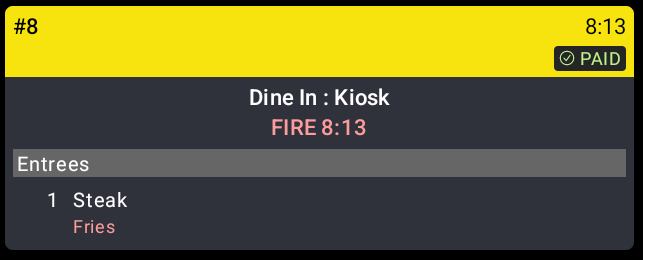
Previously, tickets in the new kitchen display system (KDS) view didn't show "Kiosk" next to the dining option for orders placed on a Toast Kiosk. Kiosk order tickets now show the dining option followed by ": Kiosk".
For more information about kitchen tickets for kiosk orders, see Use Kiosk Mode on Your Terminal.
How to verify
In test mode, place an order on a Toast Kiosk and send it to the kitchen. The KDS ticket shows the dining option, followed by a colon and "Kiosk".
Availability
First available in Toast POS version 2.114.
Affected countries
All
Links