- DATE:
- AUTHOR:
- Toast product communications
Links

Toast KDS devices now hide redundant size labels on nested modifiers
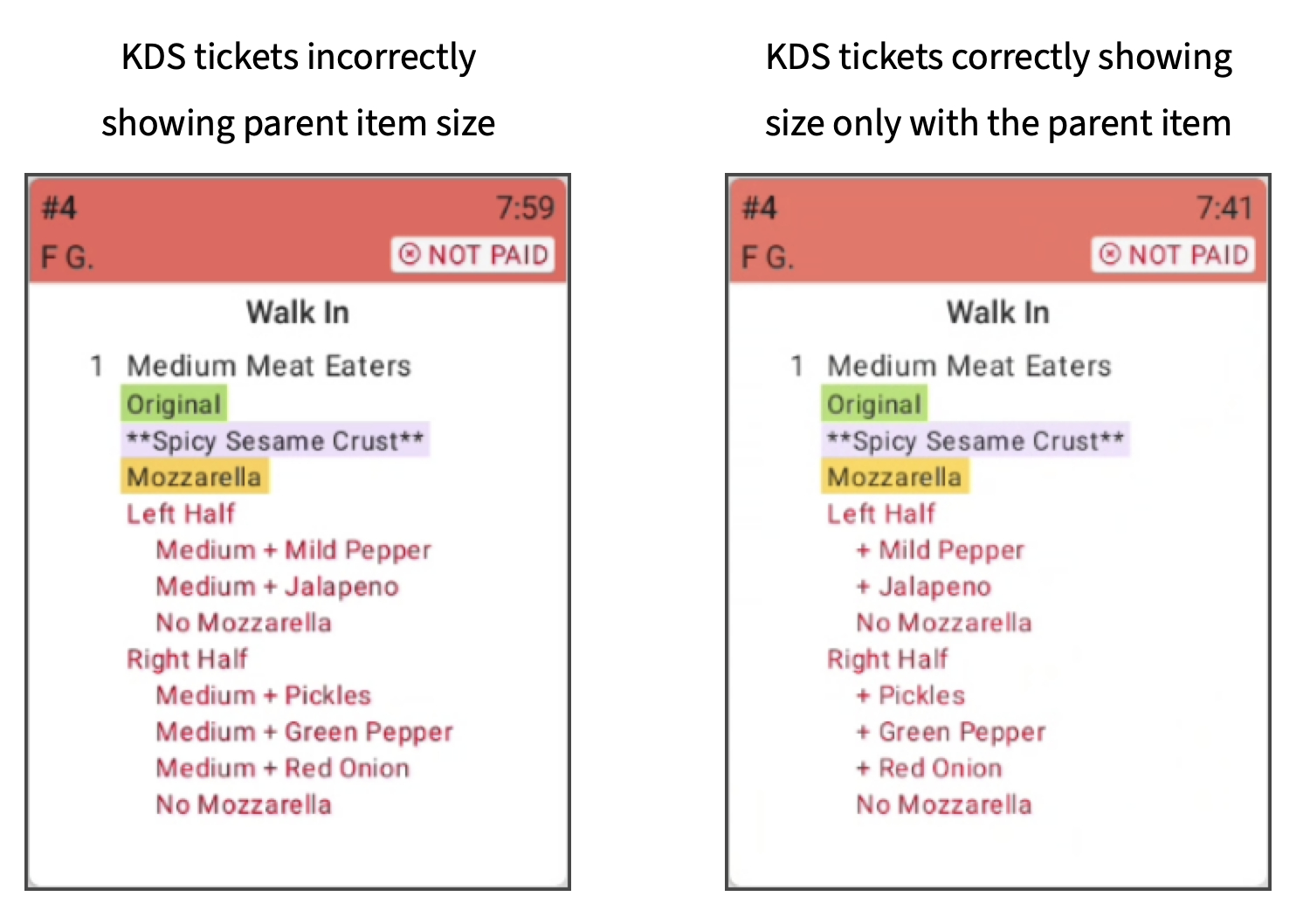
Previously, nested modifiers on the new KDS view were showing the size already shown on a parent item. This issue has been fixed. Modifiers no longer include the size already shown on parent items. For example, a "Medium Pizza” item no longer lists a "Medium Sausage" modifier.
For more information about adding modifiers, see Working with modifiers. For more information about configuring KDS device tickets, see Configuring tickets.
How to verify
How to verify:
Test at a location in Test Mode.
Find an item that uses size pricing. For example, a Pizza item with Small, Medium, and Large sizes.
Find a modifier used by that item that also uses size pricing, and also uses the same name for the size pricing. For example, a Pepperoni modifier with Small, Medium, and Large sizes.
Order the item that uses size pricing.
Add the modifier that also uses size pricing, making sure to use the same size. For example, Medium Pepperoni to match a Medium Pizza.
Add the modifier again, this time using a different size from the item. For example, Small Pepperoni.
On the KDS device using new KDS view, note that:
The modifier that uses the same size as the parent item has the size name excluded. For example, Pepperoni.
The modifier that uses a different size from the parent item has the size name included. For example, Small Pepperoni.
The example ticket appears similar to the following:
Medium Pizza
Pepperoni
Small Pepperoni
Before this change, the example ticket would instead be:
Medium Pizza
Medium Pepperoni
Small Pepperoni
Availability
First available in Toast POS version 2.116.
Countries affected
All
Links