- DATE:
- AUTHOR:
- Toast product communications
Links

Generally Available, All Locations, POS v2.121
KDS
Long modifier lists continue into the next column on KDS
DATE:
AUTHOR:
Toast product communications
On kitchen display system (KDS) devices using new KDS view, items with more modifiers than fit in one column now continue into the next column. Previously, the modifiers that didn't fit were hidden. You can now see every modifier on a ticket without opening the ticket fulfillment dialog.
For more information about new KDS view, see New KDS view.
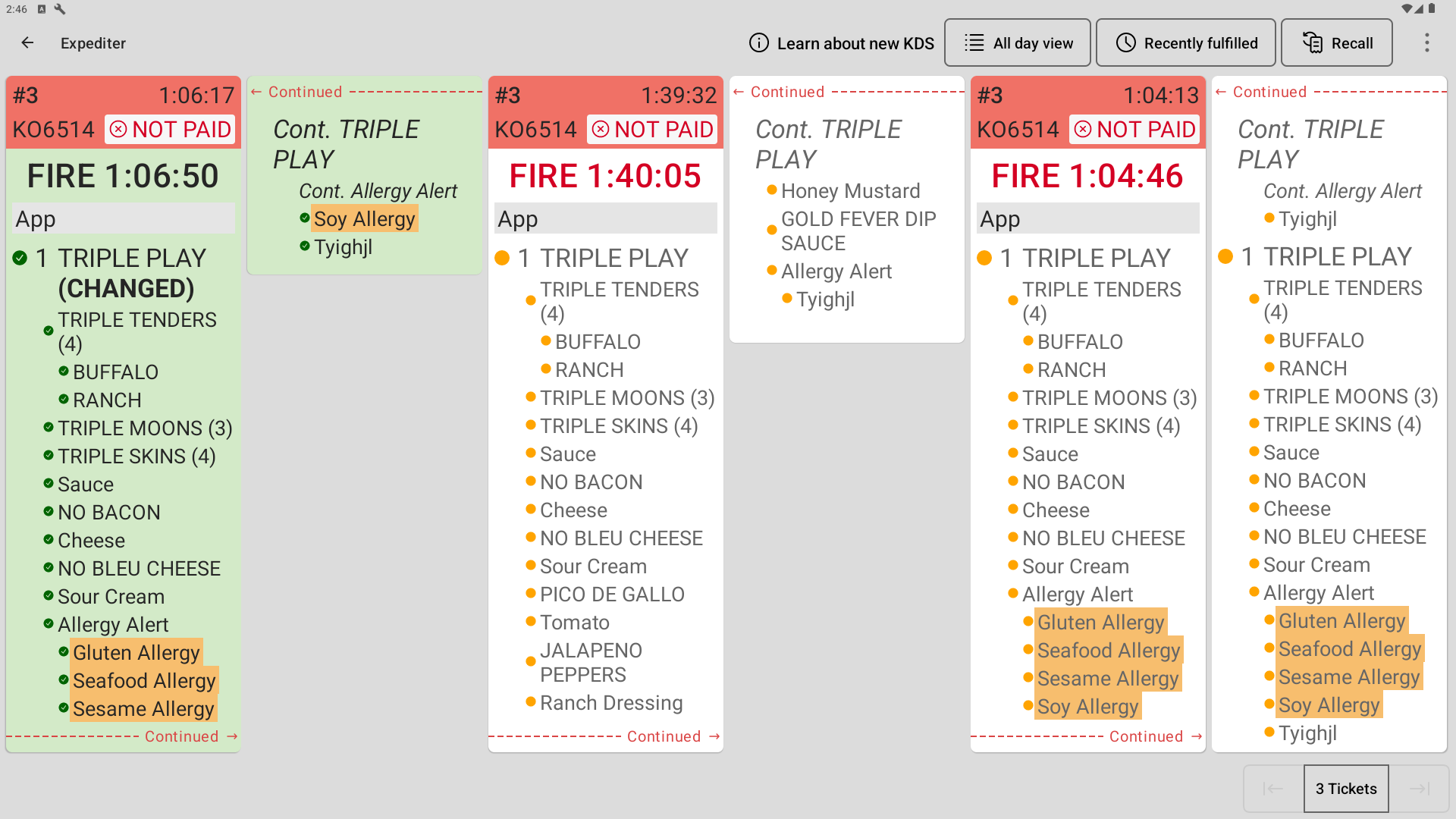
How to verify
Send an order with an item that has more modifiers than fit in one column. On new KDS view, the modifiers continue into a second column, and every modifier is visible.
Availability
First available in Toast POS version 2.121.
Affected countries
All
Links