- DATE:
- AUTHOR:
- Toast product communications
Links

Show your own terms and conditions on the Toast Kiosk loyalty signup screen
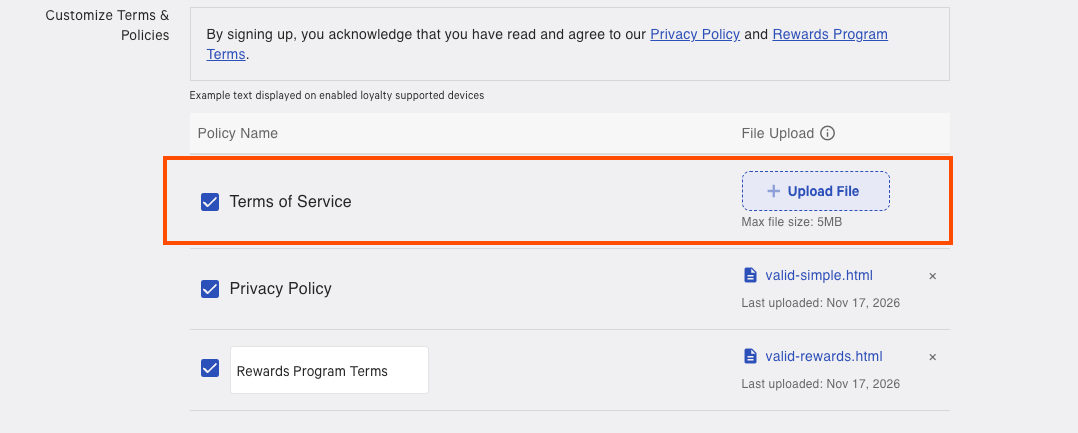
You can now set custom terms and conditions for the third-party loyalty signup screen on Toast Kiosk. Your terms replace the fixed text that previously appeared on this screen, so guests see terms that match your loyalty program.
To add your terms:
Go to Marketing > Loyalty > Loyalty Settings in Toast Web.
Scroll down to find and enable either Allow sign up using phone number or Allow sign up using email address.
Select the box to enable Terms of Service and upload your custom terms and conditions file.
For more information about Toast Kiosk, see this Toast support article.
How to verify
In Toast Web, add custom terms and conditions then save and publish your changes. On Toast Kiosk, open the loyalty signup screen. Your custom terms and conditions appear.
Availability
First available in Toast POS version 2.115.
Rolling out to Toast locations starting August 26, 2026.
Affected countries
All
Links