- DATE:
- AUTHOR:
- Toast product communications
Links

Find loyalty guests faster with a single lookup screen on the Toast POS app
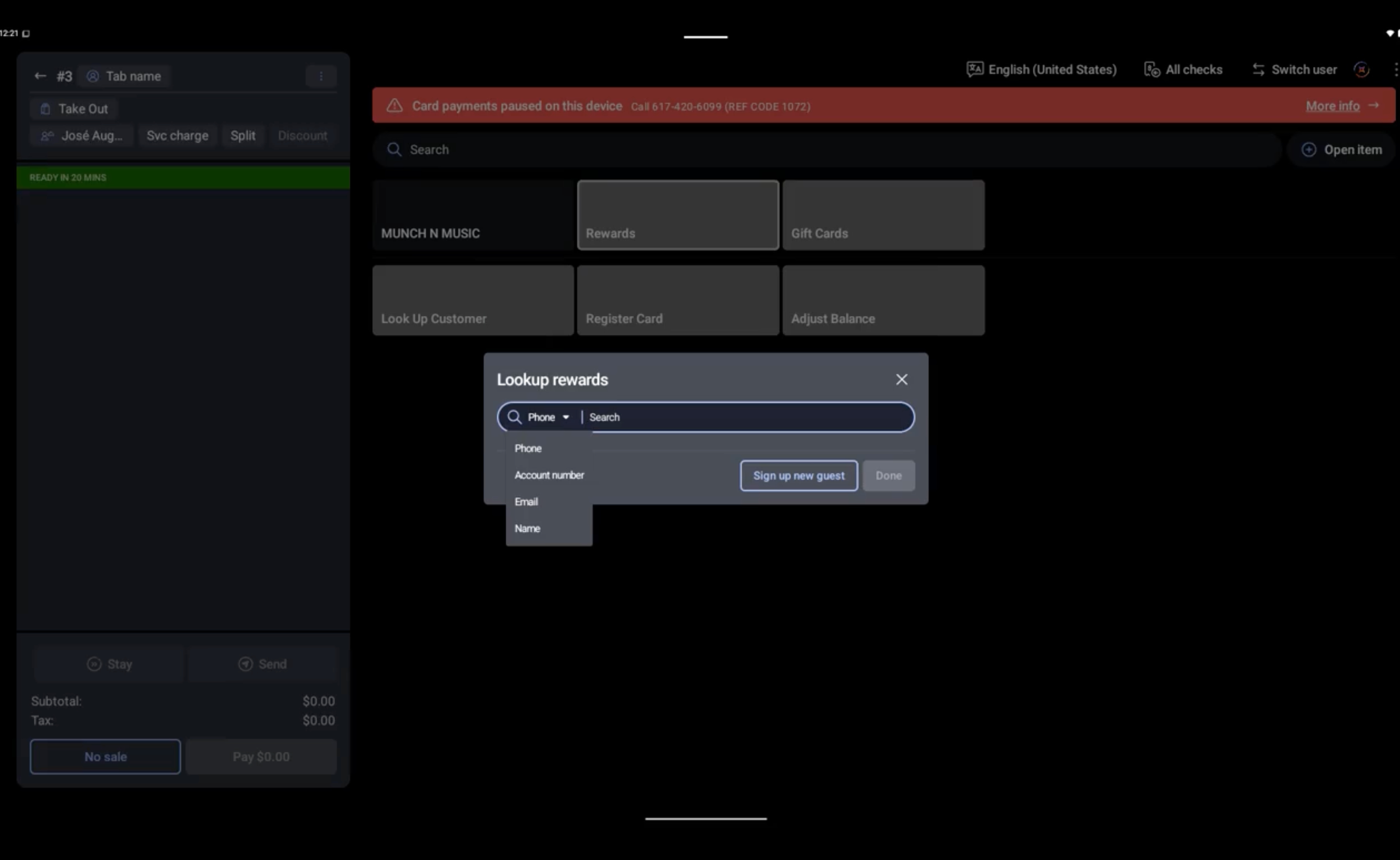
Guest search and loyalty lookup are now combined on one screen in the Toast POS app. You can search for a returning loyalty guest by name or phone number in one place, and phone number entry opens a number pad for faster input. The lookup screen shows only the lookup methods that your loyalty provider and device support.
When a lookup fails, the Toast POS app now tells you why:
If no guest matches, the app offers the option to sign the guest up.
If the loyalty service is unavailable, the app tells you the service is unavailable.
For more information about loyalty lookup, see Loyalty lookup and redemption workflows.
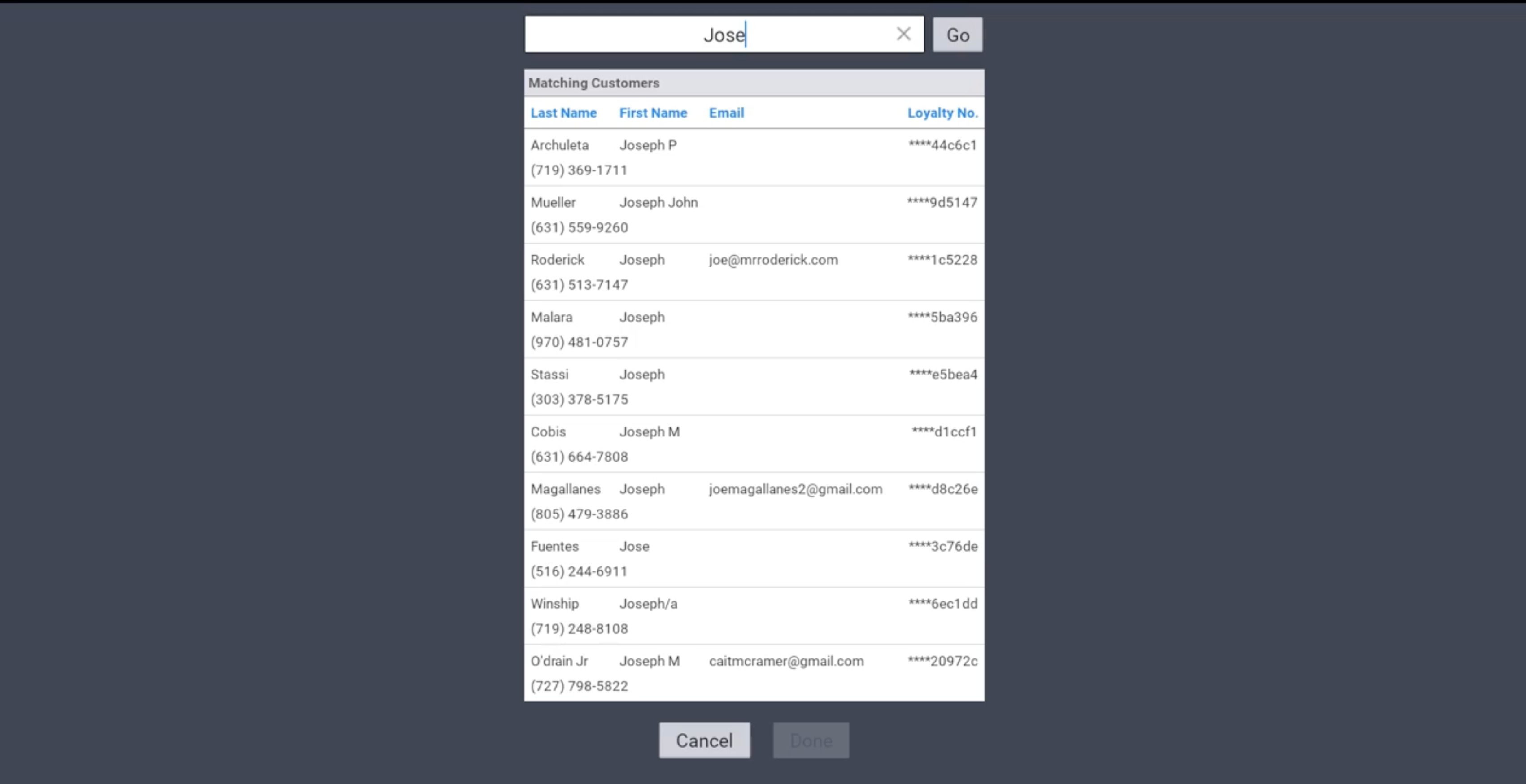
The images below show the customer lookup screen before and after this change.
Before this change:
After this change:
How to verify
On a Toast POS device, open a check and select the loyalty lookup option in the check header. [PLACEHOLDER--exact label of the loyalty lookup option; the source says it is often labeled with the location's loyalty program name] The lookup screen shows one search field, and phone number entry uses a number pad. Enter a phone number, select the guest or reward, and then continue the order.
Availability
First available in Toast POS version 2.120.
In limited release with the Toast test kitchen. To gain early access to this and other features, sign up for Test Kitchen.
This change is rolling out to Toast locations starting November 10, 2026.
Affected countries
United States, Canada, United Kingdom, Ireland, Australia
Links