- DATE:
- AUTHOR:
- Toast product communications
Links

Column options on the new KDS view match your device model
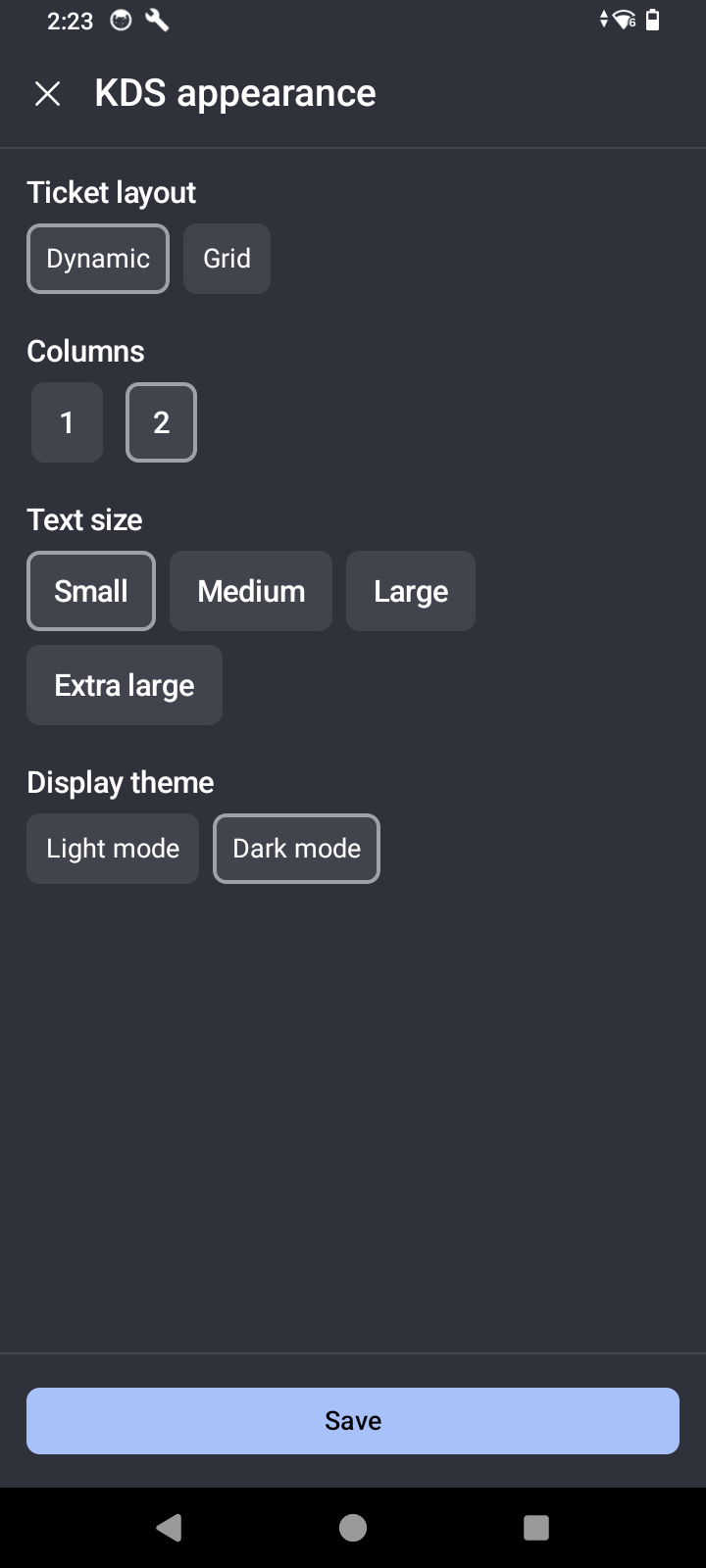
Previously, the number of columns you could select on the new kitchen display system (KDS) view was determined by your display settings rather than by the device model, so a small-screen device offered column layouts intended for a larger screen. Column options now follow the device model. On a handheld device such as Toast Go 3, you can select one or two columns. On a larger device such as Toast Flex, you can select two to nine columns.
For more information about changing the number of columns on the new KDS view, see KDS appearance pane.
How to verify
Test at a location in Test Mode.
On a handheld device such as Toast Go 3, go to KDS mode.
Select the overflow menu (the ⋮ icon) in the top right, and then select KDS appearance. Note that Columns offers one or two columns.
On a larger device such as Toast Flex, go to KDS mode.
Select the overflow menu (the ⋮ icon) in the top right, and then select KDS appearance. Note that Columns offers two to nine columns.
Availability:
First available in Toast POS version 2.116.
Countries affected
All
Links