- DATE:
- AUTHOR:
- Toast product communications
Links

Apply guest coupons to room charge payments during checkout
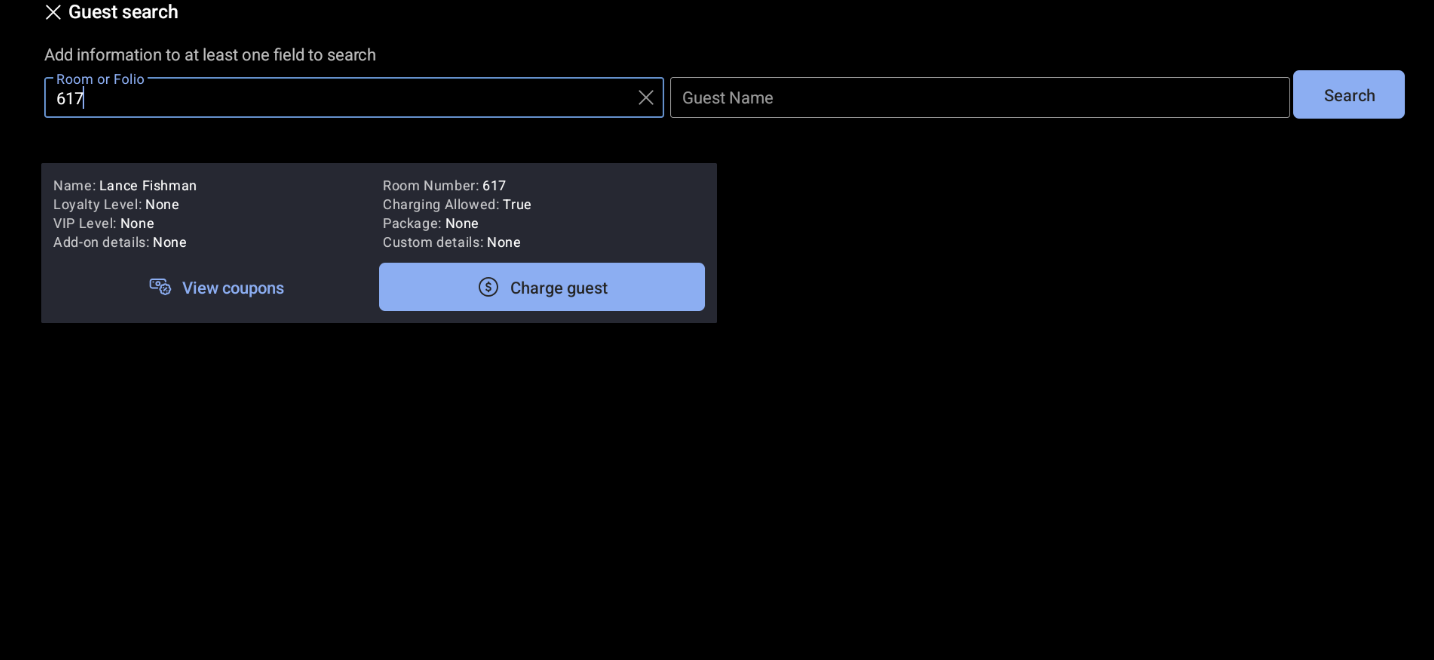
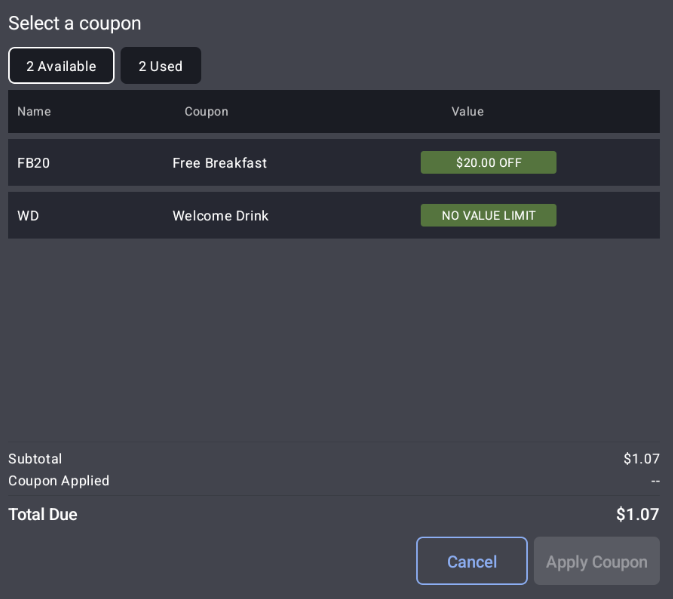
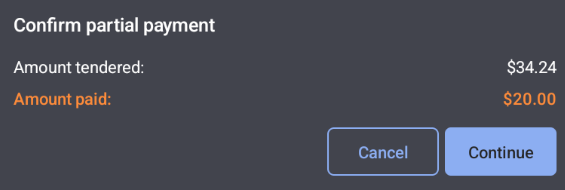
You can now apply guest coupons directly to room charge payments when your location uses an integrated property management system (PMS). This is currently available with the Marriott Stay PMS. When a guest has coupons available, a view coupons button appears in the Tender search results, so you can select a coupon and apply it to the order balance. If the coupon doesn't cover the full amount, you're prompted to pay the remaining balance with another payment method. Hotel guests get a faster checkout, and their loyalty rewards are redeemed accurately.
For more information about room charge integrations, see Hotel Property Management Systems (PMS) Integrations Overview.
The images below show a guest lookup screen for a guest with available coupons, the coupon selection screen, and the dialog that shows when a coupon doesn't cover the entire room charge.
How to verify
Start a room charge payment for a guest who has coupons available in your integrated PMS, such as Marriott Stay. The view coupons button appears in the search results. Select a coupon. The discount applies to the order balance in the Toast POS app.
Availability
This change is in limited release. Not all Toast locations have access to this change.
First available in Toast POS version 2.120.
Affected countries
United States
Links