- DATE:
- AUTHOR:
- Toast product communications
Links

Delete guest profiles from Toast Guestbook
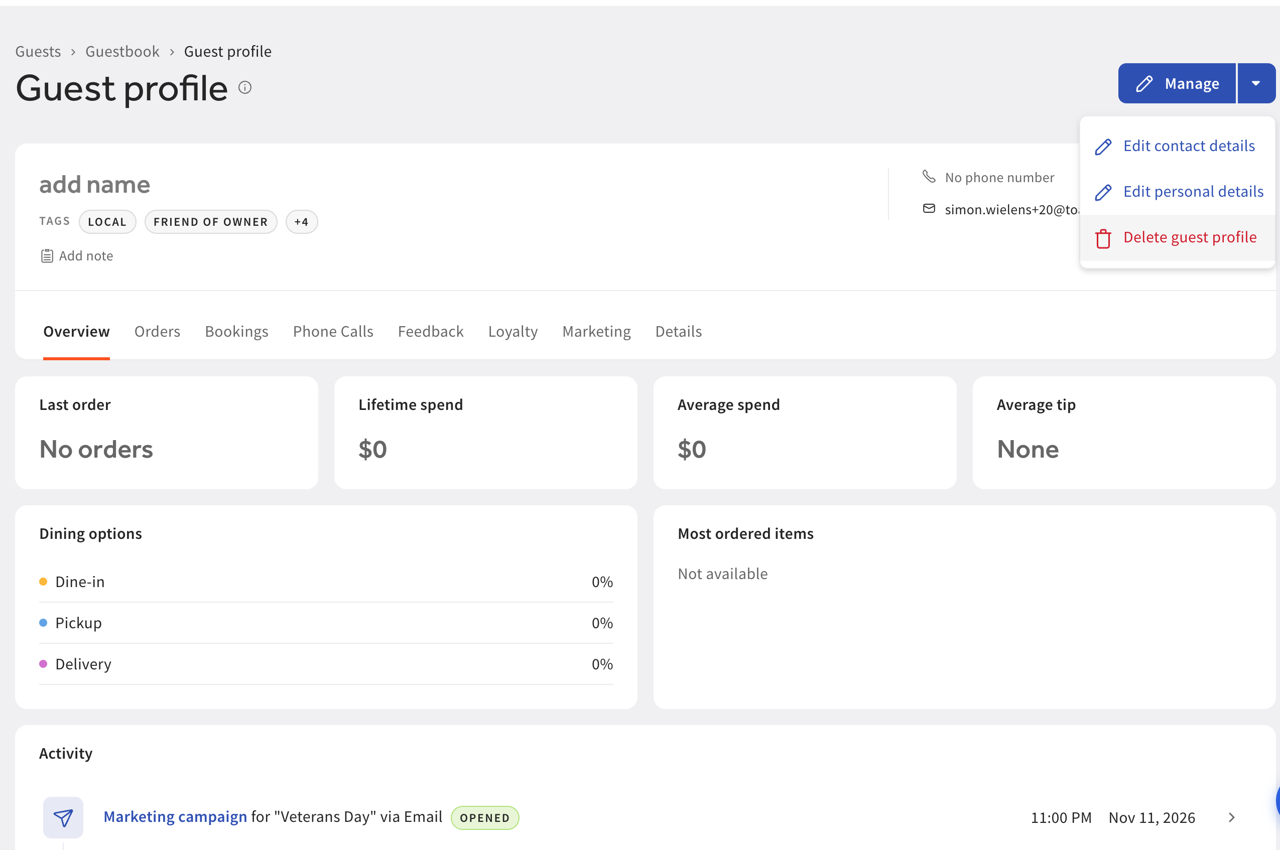
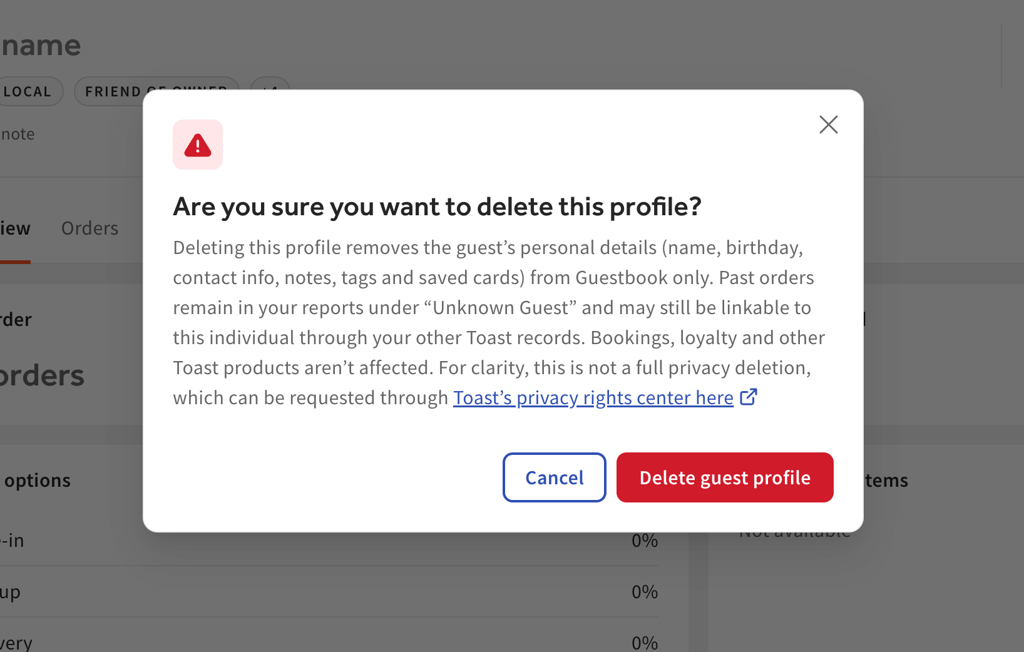
You can now delete guest profiles directly from Guestbook. When you delete a profile, it's removed from Guestbook, and the Toast platform anonymizes the guest's identifying information, including their name, email, phone number, and address, plus restaurant-specific data such as notes and tags. To protect data integrity, you can't delete a profile that has active bookings, house accounts, memberships, or loyalty accounts.
Deleting a guest profile isn't a full privacy deletion. To request a full privacy deletion, use the Toast privacy center.
For more information about Guestbook, see Access Your Guest Data With Guestbook. To see guest profile deletion in action, watch this video walkthrough.
Availability
Available at all Toast locations.
Countries affected
All
Links