- DATE:
- AUTHOR:
- Toast product communications
Links

Customize the house account payment workflow
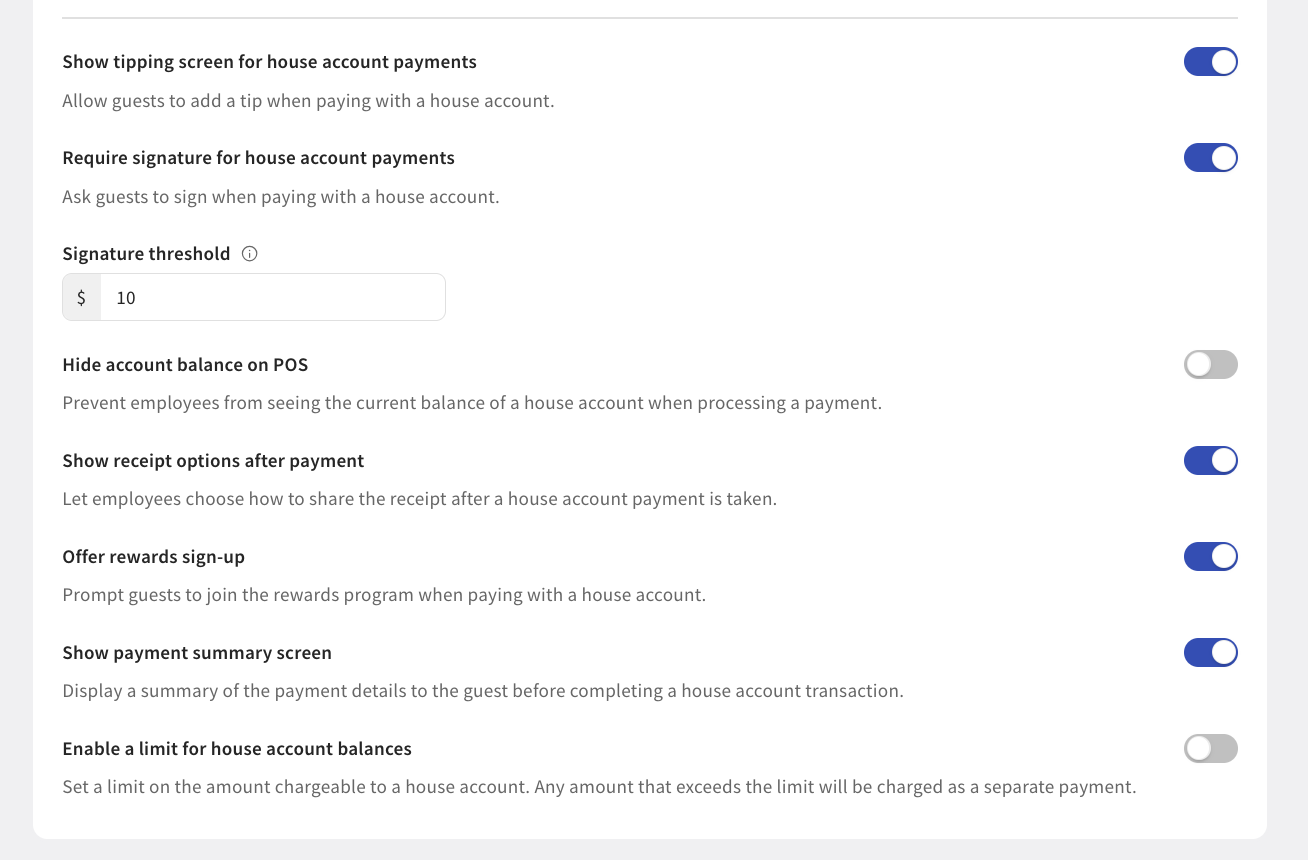
You can now customize the house account payment workflow using new House Account Settings in Toast Web. These include:
Disable tipping for house account payments: Turn off the tipping screen so guests aren't prompted to tip when paying with a house account.
Require a signature for house account payments: Prompt guests to sign when paying with a house account.
Hide account balance on POS: Prevent employees from seeing a guest's house account balance while processing a payment.
Show receipt options after payment: Let employees choose how to share the receipt after a house account payment.
Offer rewards sign-up: Prompt guests to join your rewards program when paying with a house account.
Show payment summary screen: Display a summary of payment details to the guest before completing the transaction.
Set a house account balance limit: Any amount that exceeds the limit is charged as a separate payment.
For more information about paying with a house account, see Paying for orders with a house account.
Availability
First available in Toast POS version 2.113.
This change is in limited release. Not all Toast locations have access to this change.
Countries affected
USA
Links