- DATE:
- AUTHOR:
- Toast product communications
Links

KDS appearance rows and columns work the same in portrait orientation
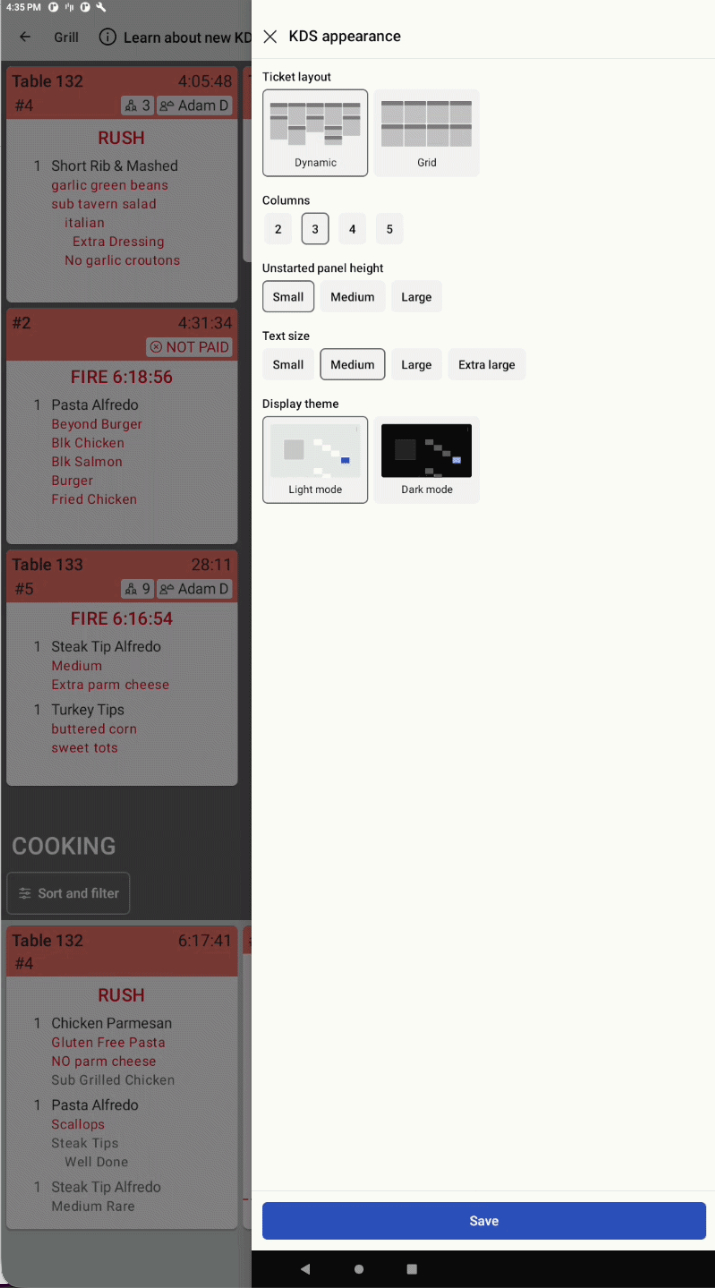
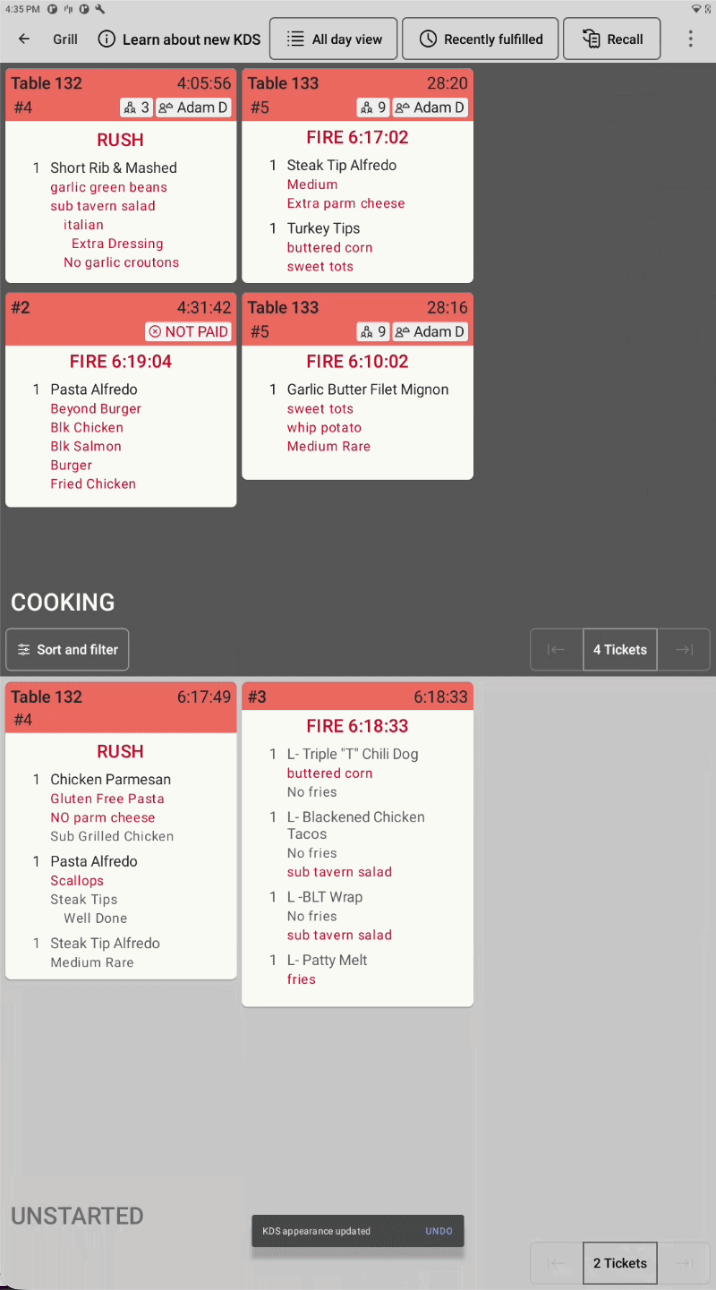
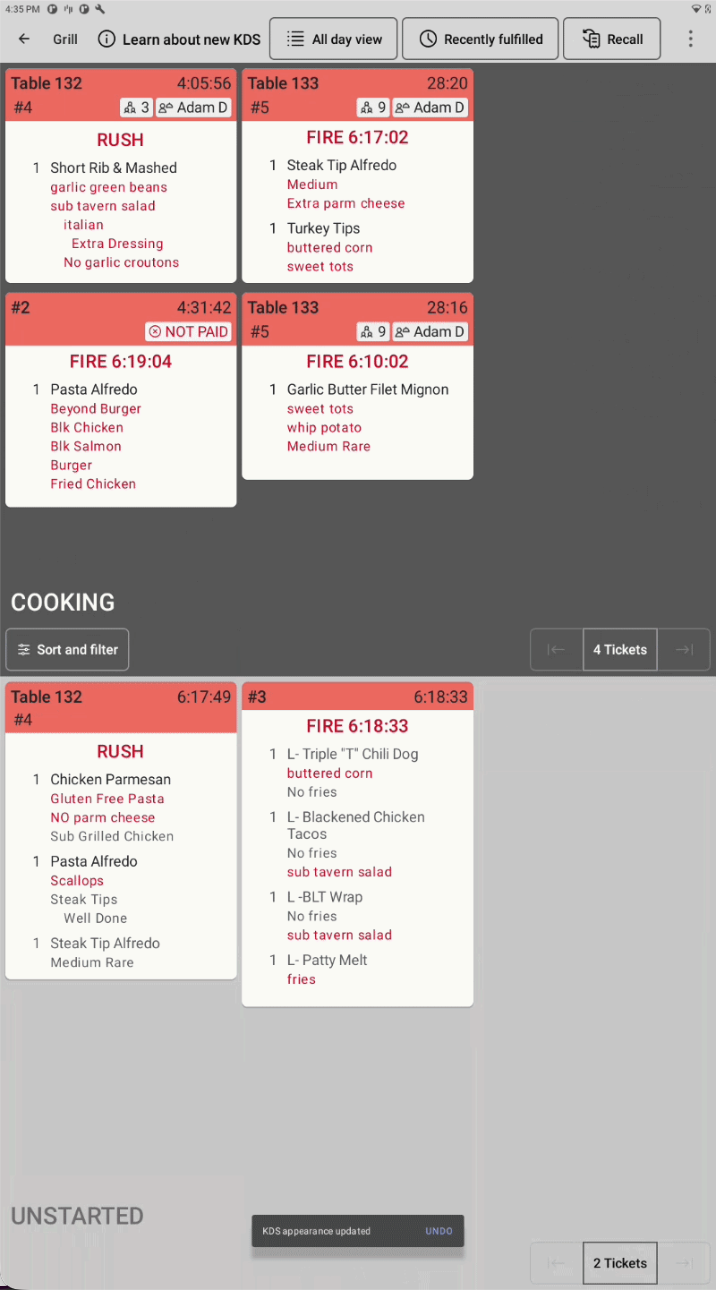
Previously, in portrait orientation, the KDS appearance pane for the new kitchen display system (KDS) view offered landscape row and column choices, then limited the display to three columns and hid tickets. Rows and columns now mean the same thing in both orientations. In portrait orientation, the new KDS view limits columns and offers more rows, so ticket capacity stays the same when you rotate the display.
The Unstarted columns setting is now Unstarted panel width in landscape orientation and Unstarted panel height in portrait orientation. When the Start Queue setting is on, you can choose a Small, Medium, or Large size for the UNSTARTED side of the screen.
For more information, see KDS appearance pane.
How to verify
To verify this fix:
Rotate your KDS device to portrait orientation
Open the KDS appearance pane
Choose a row and column layout.
The display shows the same number of tickets as it does in landscape orientation. If the Start Queue setting is on, choose Small, Medium, or Large for the UNSTARTED side of the screen. The size of the UNSTARTED side changes to match.
Availability
First available in Toast POS version 2.119.
Affected countries
All
Links