- DATE:
- AUTHOR:
- Toast product communications
Links

Printed kitchen tickets show removed default modifiers from partner-only modifier groups
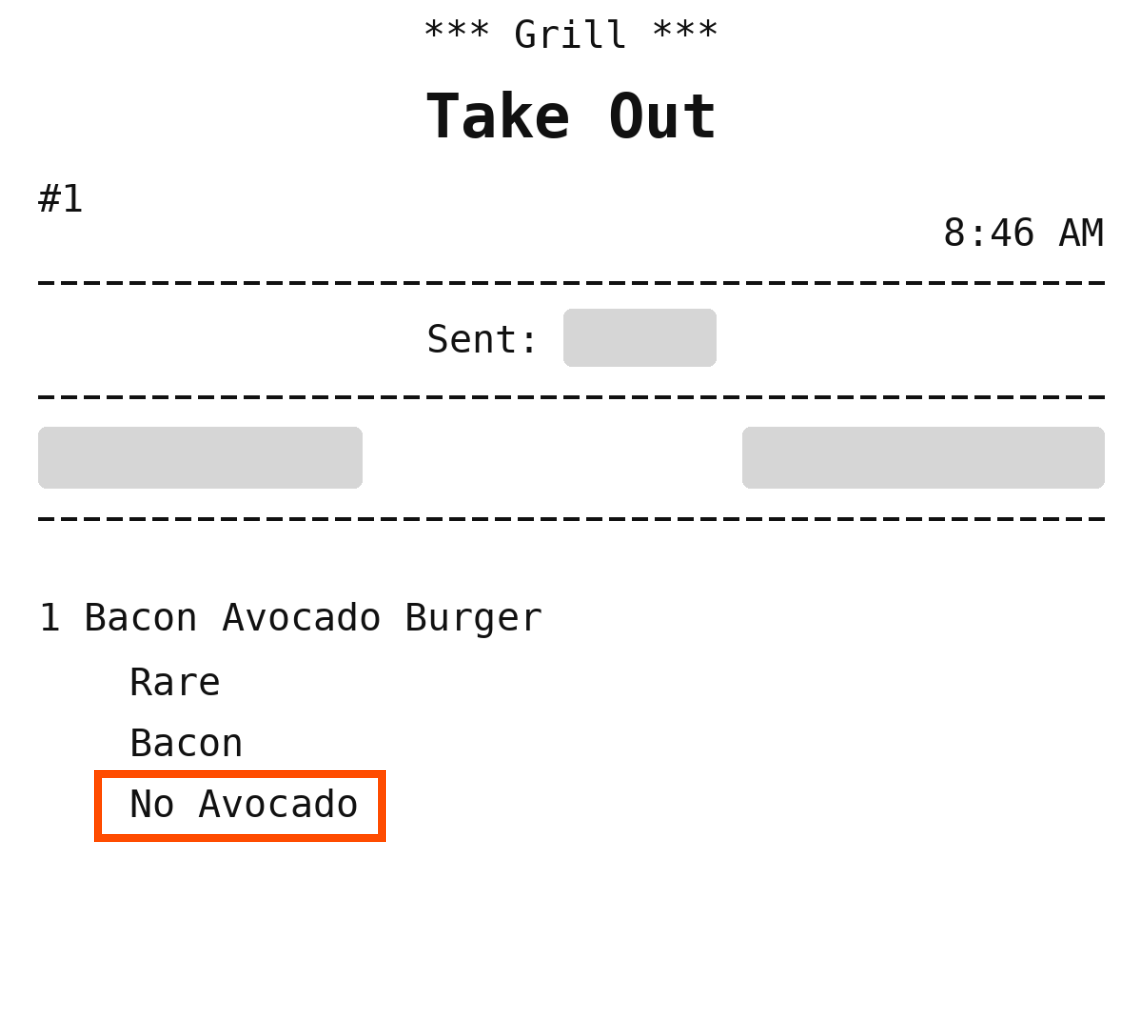
Previously, when an order didn't include a default modifier from a modifier group visible only to Online ordering partners, printed kitchen tickets didn't show that modifier as removed. Now, when Default Modifier Options is set to Show only removed default modifiers, printed kitchen tickets show the removed modifier with the NO prefix.
For more information about visibility for online ordering partners, see Restricting menu visibility to specific online ordering partners.
How to verify
In Toast Web, go to Front of house and select UI options at the bottom of the Order screen setup section.
Set Default Modifier Options to Show only removed default modifiers, then save and publish.
In the menu manager, set a modifier group to Online ordering partners visibility only, and make at least one of its modifiers a default.
Send a test partner order that doesn't include the default modifier.
The printed kitchen ticket shows the default modifier as removed, with the NO prefix.
Availability
First available in Toast POS version 2.121.
Affected countries
All
Links