- DATE:
- AUTHOR:
- Toast product communications
Links

See every prep station in the ALSO AT ticket footer on new KDS view
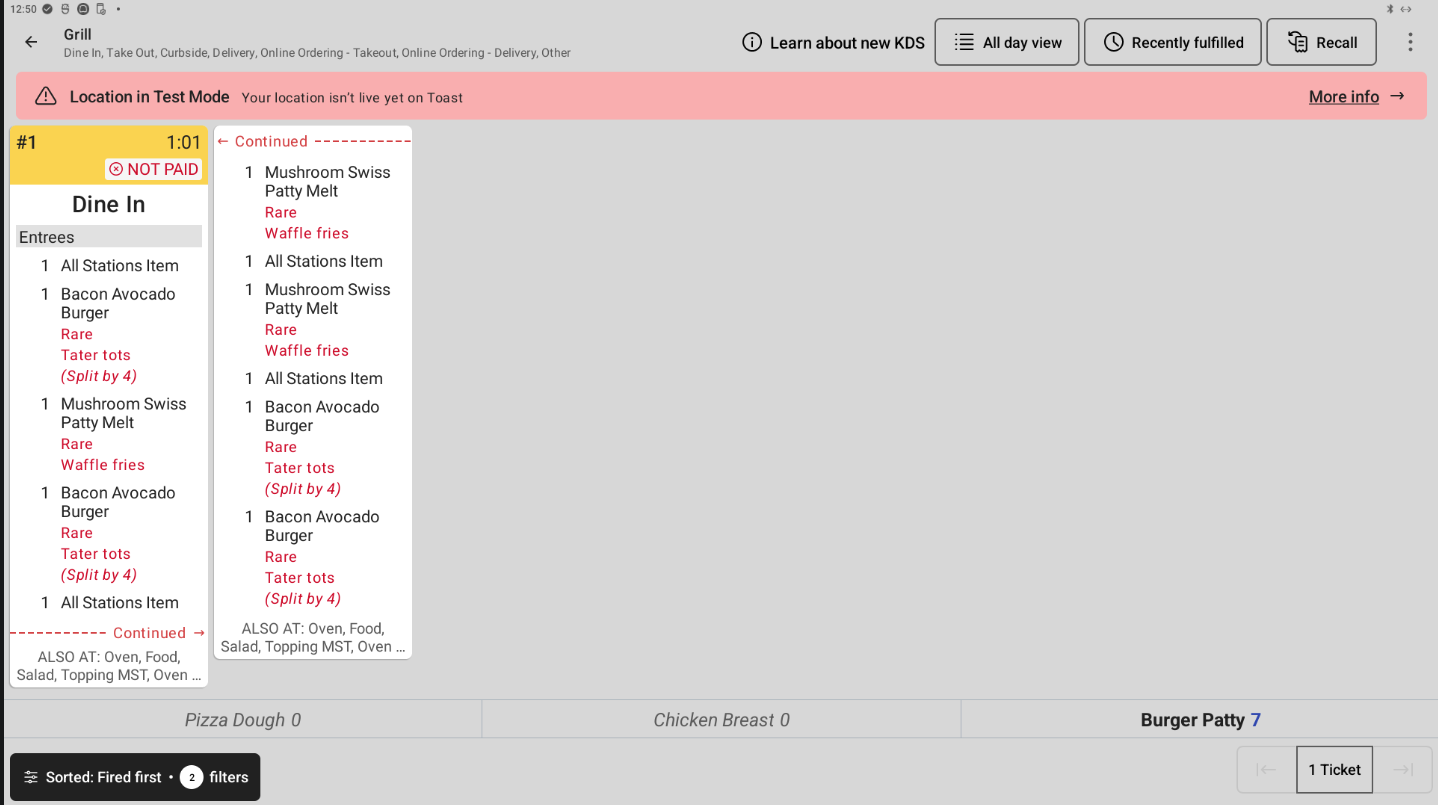
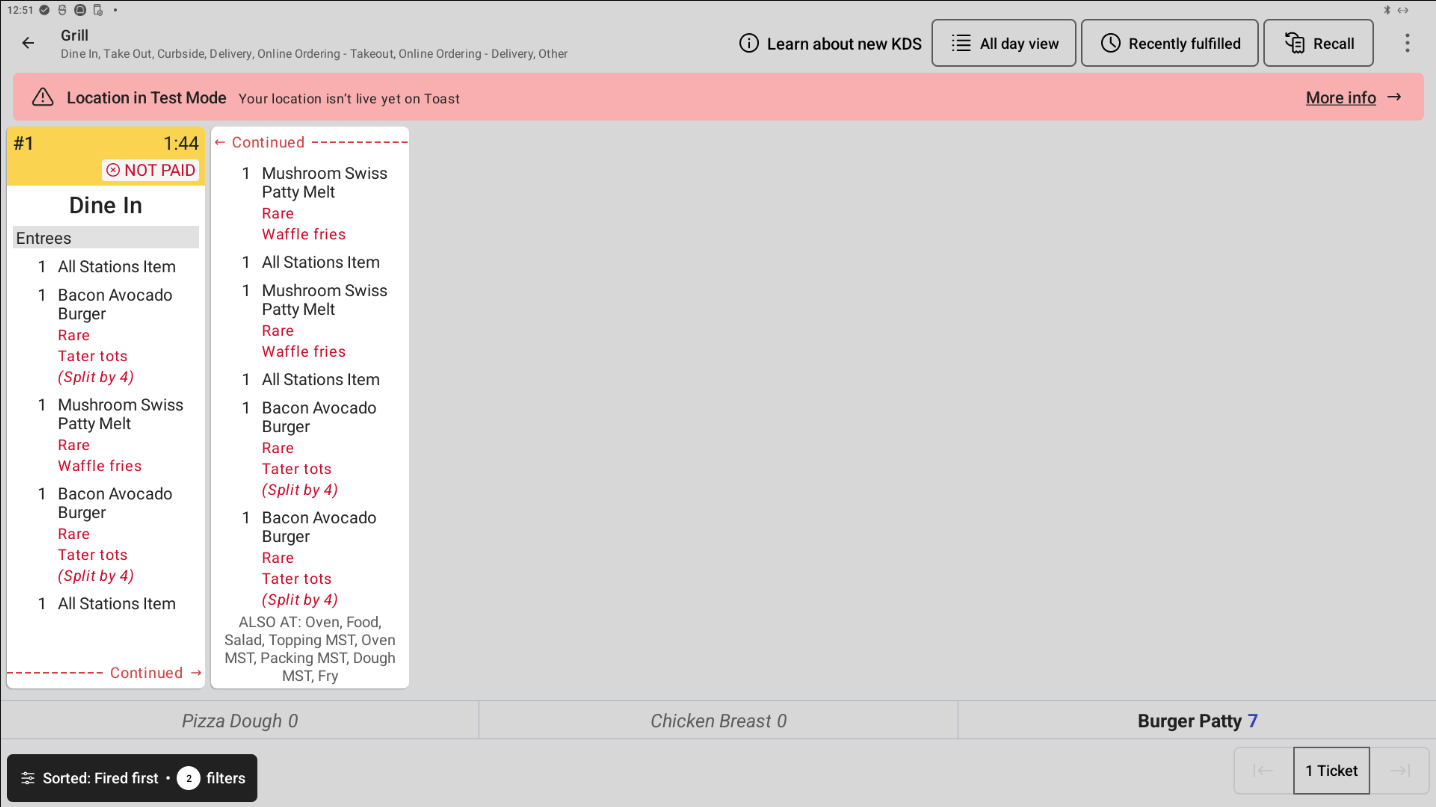
On kitchen display system (KDS) devices using new KDS view, the ALSO AT footer now lists every prep station on the ticket. Previously, the footer was limited to two lines, so prep station names could be cut off on tickets sent to many prep stations.
When a long ticket continues across multiple columns, the footer now appears only on the last part of the ticket, to save space.
For more information about the ALSO AT footer, see Kitchen settings.
Before this change:
After this change:
How to verify
In Toast Web, go to Kitchen > Printers, tickets, & KDS devices > Kitchen and ticket setup.
Set Other Stations to For each ticket, list other stations working on that ticket, then save and publish.
Send an order with items routed to all prep stations.
On new KDS view, every prep station appears in the ALSO AT section at the bottom of the ticket. Then send a ticket large enough to continue across columns. Only the last part of the ticket shows ALSO AT.
Availability
First available in Toast POS version 2.121.
Affected countries
All
Links