- DATE:
- AUTHOR:
- Toast product communications
Links

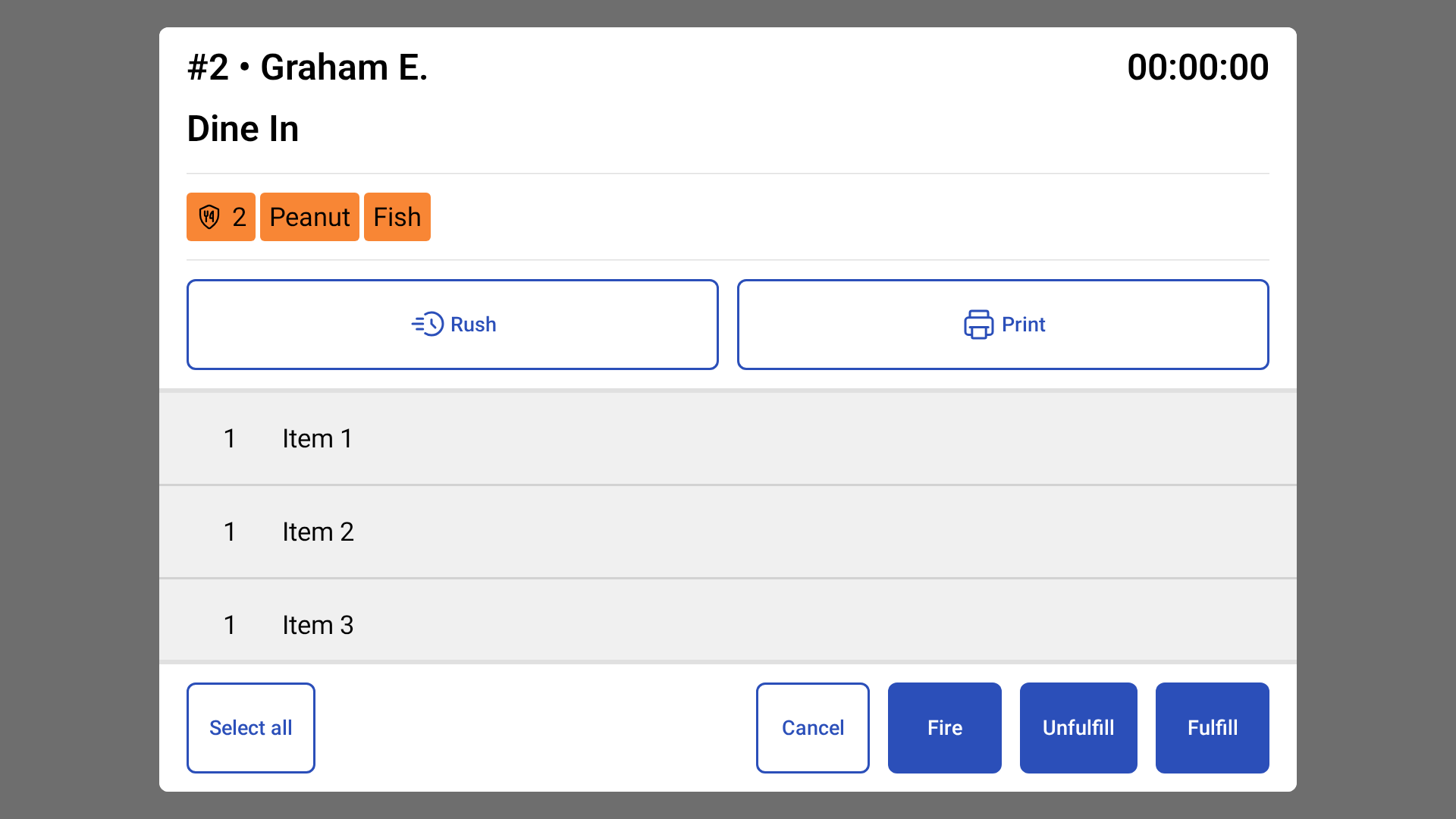
The item fulfillment dialog shows the tab name on new KDS view
Previously, on kitchen display system (KDS) devices using new KDS view, the tab name was missing from the ticket dialog. The ticket dialog now shows the tab name, or the guest name if there's no tab name.
For more information, see Item and Order Fulfillment on KDS.
How to verify
In Toast Web, go to Kitchen > Printers, tickets, & KDS devices > Kitchen.
In the Ticket Screens section, for the Ticket selection on KDS setting, select Individual item fulfillment.
Save and publish your changes.
Send an order with a tab name or guest name.
On the KDS device, select a ticket to open the item fulfillment dialog.
The tab name appears at the top left of the dialog header. If the order has no tab name, the guest name appears.
Availability
First available in Toast POS version 2.120.
Affected countries
All
Links