- DATE:
- AUTHOR:
- Toast product communications
Links

Toast POS logout confirmation now indicates when credit card payments are still processing in the background queue
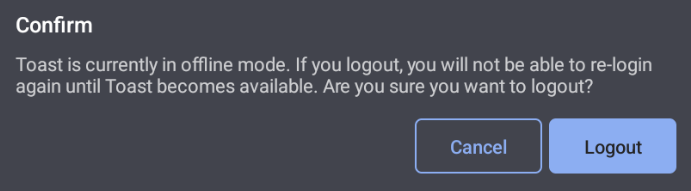
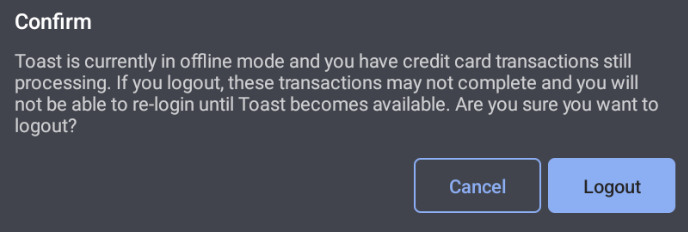
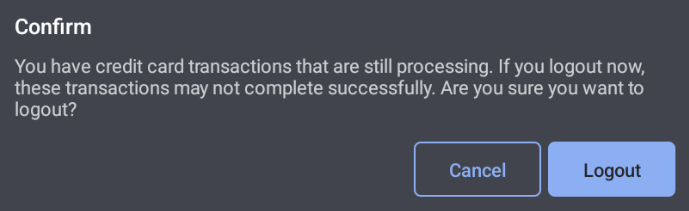
When logging out of the Toast POS, you will now see updated messaging if there are credit card transactions still processing in the background. This ensures that employees are aware of queued payments that may fail if the logout proceeds, allowing for more informed decisions before leaving the application. Messaging will vary based on whether the device is offline, has queued payments, or both. The following images show the new messaging for each scenario.
For more information, see the Offline payments overview.
Device is offline
Device is offline and payments are queued
Payments are queued
How to verify
The logout confirmation option is available only when an employee has signed in with a username and password, not using a pin code.
Test at a location in Test Mode. Logging out while transactions are queued can prevent them from completing.
Device is offline
Disconnect the device from the network and wait for the offline indicator.
On the passcode screen, select the overflow menu (⋮) > Logout.
Confirm the offline message appears, then select Cancel.
Device is offline and payments are queued
Disconnect the device from the network and wait for the offline indicator.
Take a credit card payment on a check.
Return to the passcode screen and select the overflow menu (⋮) > Logout.
Confirm the combined message appears, then select Cancel.
Reconnect the device and allow the queued transaction to finish processing.
Payments are queued
This message appears when a card transaction is still processing while the device is online. These transactions normally complete within seconds, so this state is best confirmed during normal operation at a location with background payment processing enabled.
Availability:
First available in Toast POS version 2.109
Affected Countries:
All
Links