- DATE:
- AUTHOR:
- Toast product communications
Links

Use the Legacy modifier display mode in the new KDS view
The new kitchen display system (KDS) view now supports the Legacy option for the Modifier display mode setting. When Modifier display mode is set to Legacy, modifiers appear in the new KDS view the same way they appear in the legacy KDS view.
For more information about modifier display modes, see Configure Modifier Display Options.
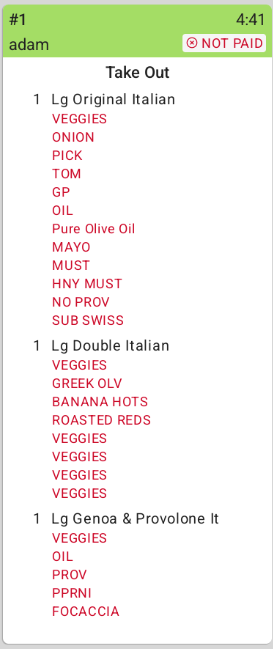
Before this change
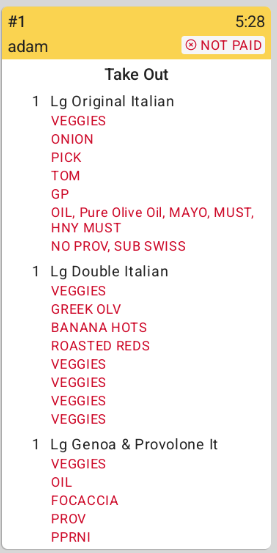
After this change
How to verify
In Toast Web, go to Front of house > Order screen setup > UI options, set Modifier display mode to Legacy, and then save and publish your changes.
Send an order with modifiers to a KDS device that uses the new KDS view. The modifiers on the ticket follow the Legacy mode order described in Configure Modifier Display Options.
Availability
First available in Toast POS version 2.120.
Affected countries
All
Links