- DATE:
- AUTHOR:
- Toast product communications
Links

Retail mode overflow menu
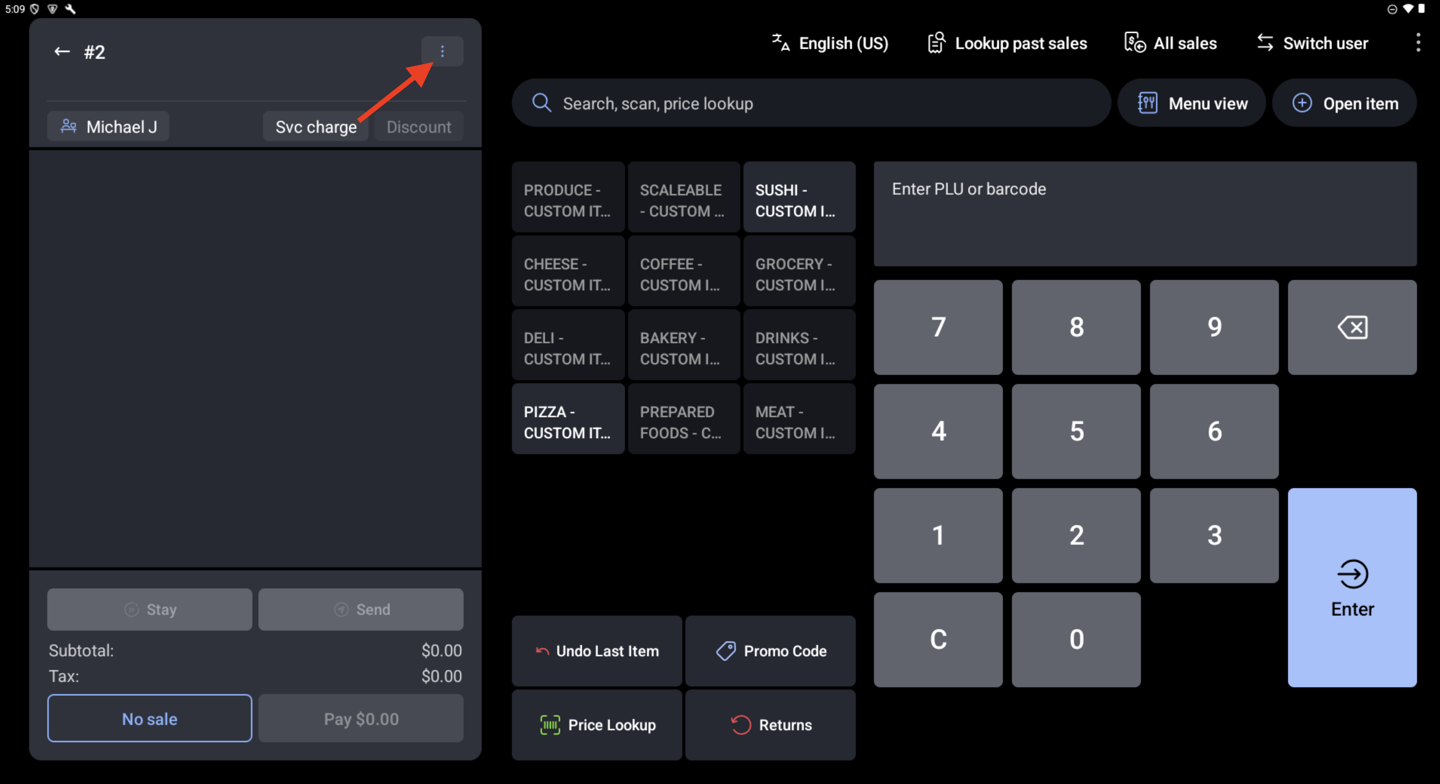
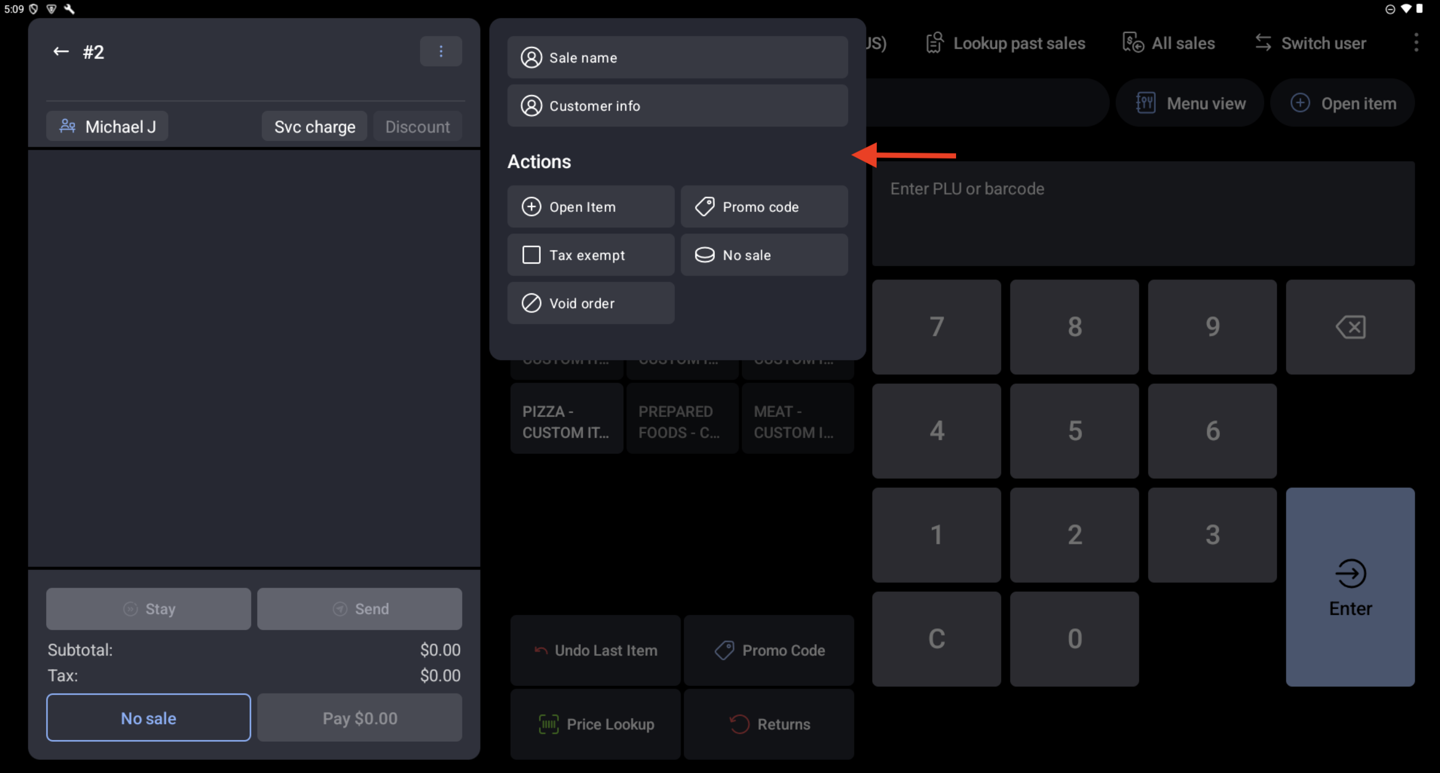
Retail Mode now has an overflow menu (the three-dot button) on the order, like the one in Quick Order. The overflow menu gathers less-common actions in one place so they don't crowd the order screen. From the overflow menu, you can add an open item, run a No Sale to open the cash drawer, name the sale, apply a promo code, or void the order.
For more information, see Get Started With Retail POS Mode.
How to verify
On a device running Toast POS app version 2.114 or later, open Retail Mode and select the three-dot overflow menu on the order. The menu opens and lists actions including Open Item, No Sale, Sale Name, Promo Code, and Void Order.
Availability
First available in Toast POS version 2.114.
Countries affected
United States, Canada, United Kingdom, Ireland
Links